41
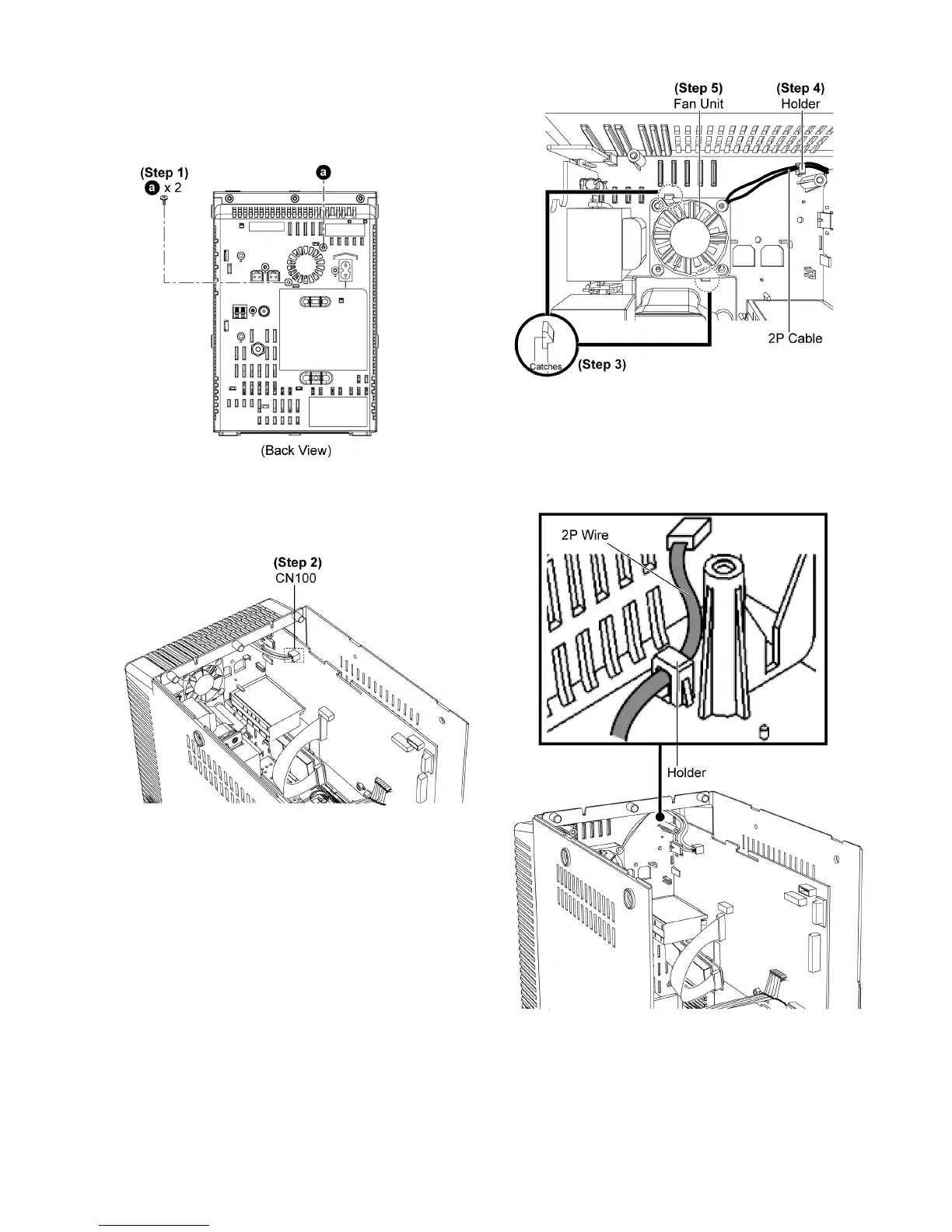
10.17. Disassembly of Fan Unit
• Follow the (Step 1) - (Step 9) of item 10.3.
• Follow the (Step 1) - (Step 6) of item 10.7.
• Follow the (Step 1) - (Step 5) of item 10.14.
Step 1 : Remove 2 screws.
Step 2 : Detach 2P cable at connector (CN100) on Main P.C.B..
Step 3 : Release 2 catches.
Step 4 : Remove 2P cable from the holder.
Step 5 : Remove Fan Unit.
Caution : Ensure the Fan Unit is seated properly onto the
rear panel assembly.
Caution : Ensure the 2P wire is inserted into the Holder.












 To Next Page