33
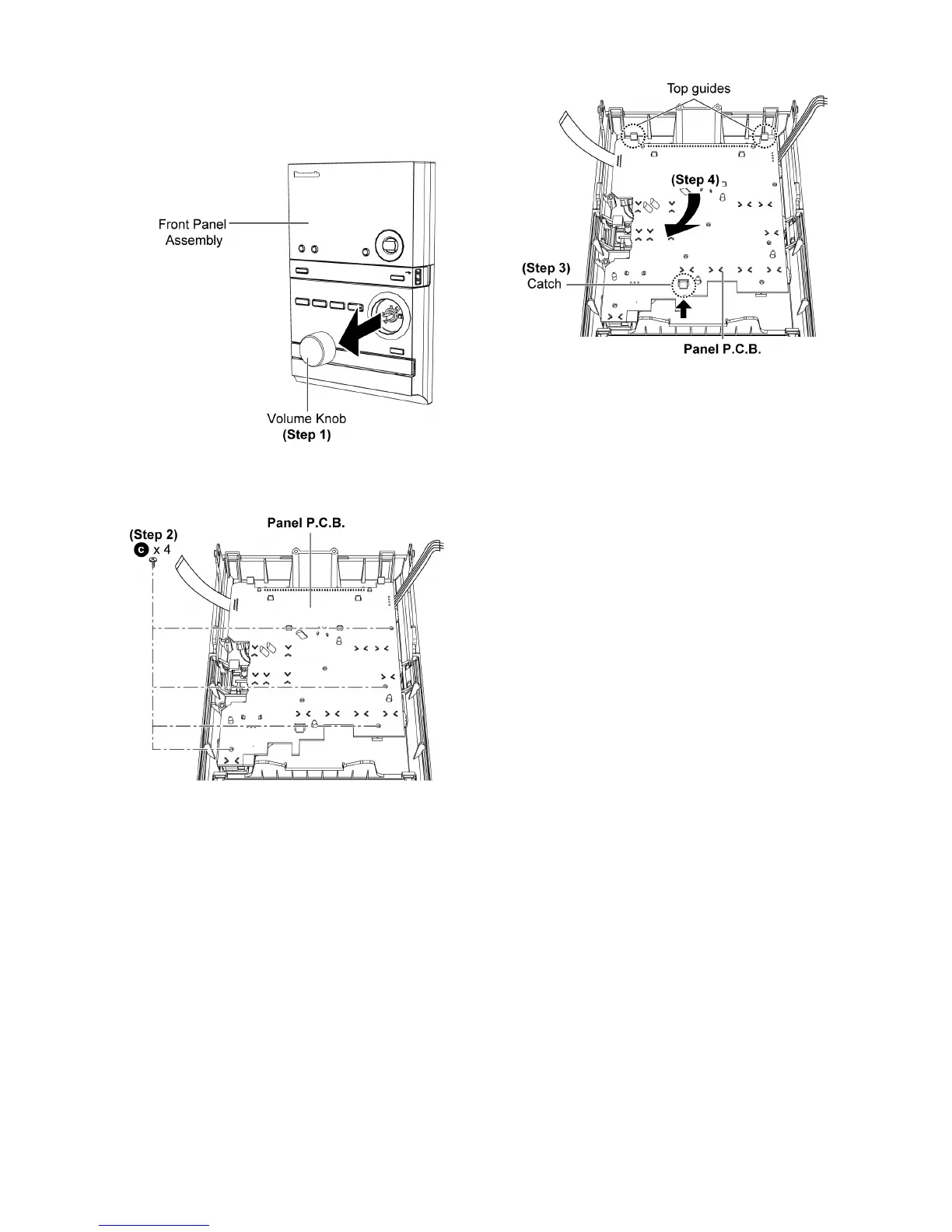
10.9. Disassembly of Panel P.C.B.
• Follow the (Step 1) - (Step 9) of item 10.3.
• Follow the (Step 1) - (Step 6) of item 10.7.
• Follow the (Step 1) - (Step 3) of item 10.8.
Step 1 : Remove Volume Knob.
Step 2 : Remove 4 screws.
Step 3 : Release the catch
Step 4 : Remove the Panel P.C.B. as arrow shown.
Caution : During assembly ensure that Panel P.C.B. are
slot under the top guides. A ‘click’ sound will be heard
when fully catched.












 To Next Page