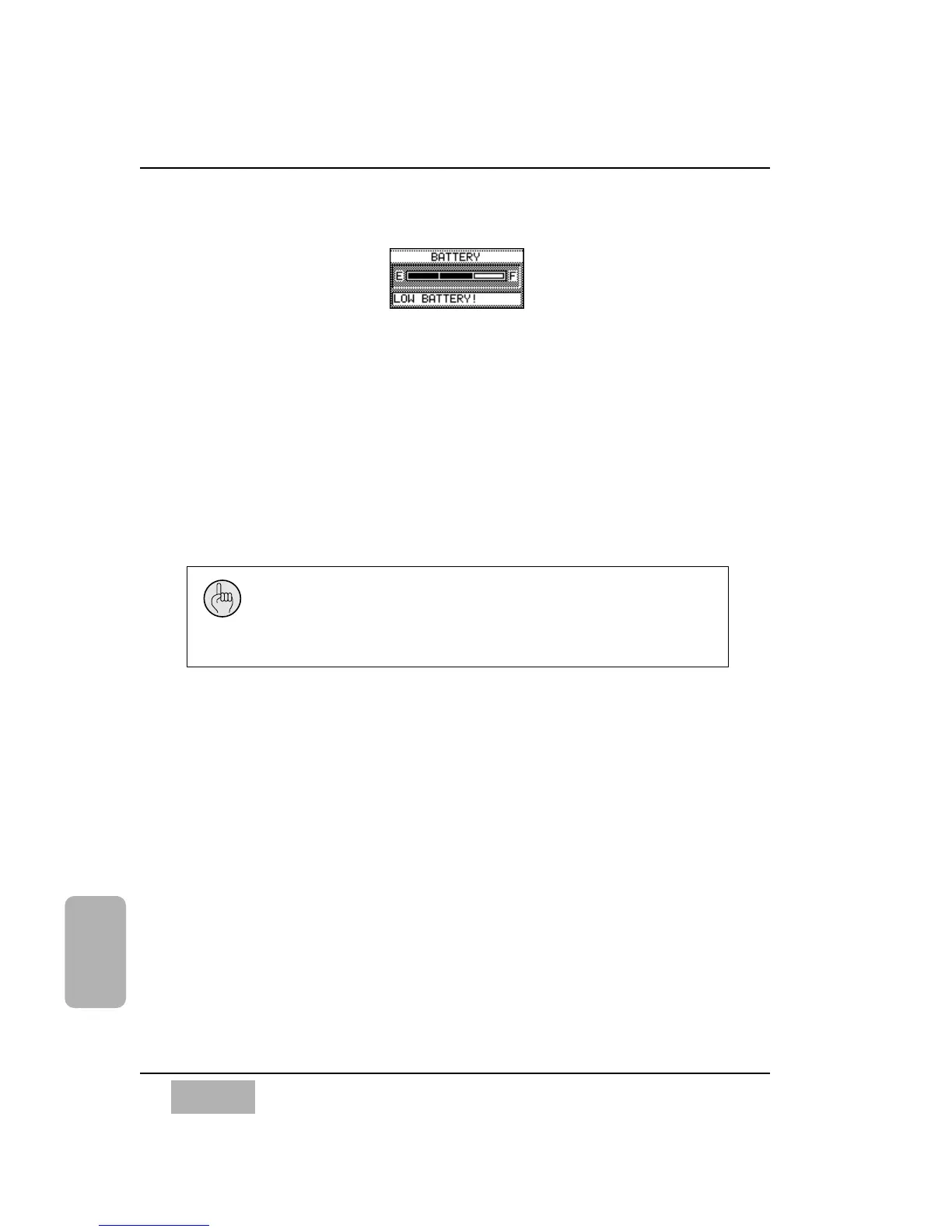
[BATTERY] Area
A bar graph is displayed in the [BATTERY] area of the [UTILITY>OSC/BATT]
window. The bar graph depicts the current battery strength, ranging from [E]
(empty) to [F] (full). When the battery runs out, all memory will be erased
from the mixer when the AC power for the DA7 is turned off.
The message field is a text indicator of the battery status. If the battery needs
to be replaced, the field will read LOW BATTERY. If the battery should run
out, it will read BATTERY EMPTY until a new one is put in.
It would be a good idea to back up all important data stored in the DA7 prior
to the battery running out.
To replace the battery, contact the PANASONIC Service Center nearest you.
Chapter 16
DA7 Users’ Guide
16
-
8
16
Utility
BATTERY Area
When the [BATTERY] graph displays “LOW BATTERY”, back up
the DA7 memory by performing a bulk output routine from the
[MIDI>BULK] window. Do not let the battery run out, or you may
inadvertently lose the DA7 memory.













 To Next Page