Chapter 2
DA7 Users’ Guide
2
-
28
2
DA7 Tour
Monitor B Out
These terminals are 1/4” TRS dual phono plugs at a level of +4dB, 600Ω BAL,
and connect the output of the MONITOR B source selection to an external
amplifier for monitoring in the studio.
[REC OUT] Record Output
Use 1/4” TRS phone plugs, at a level of +4dB, 10kΩ BAL, to output signals for
recording.
Master Output
Female XLR connectors send the MASTER L/R analog program output to
external speakers and/or a recording device of +4 dB, 600Ω BAL.
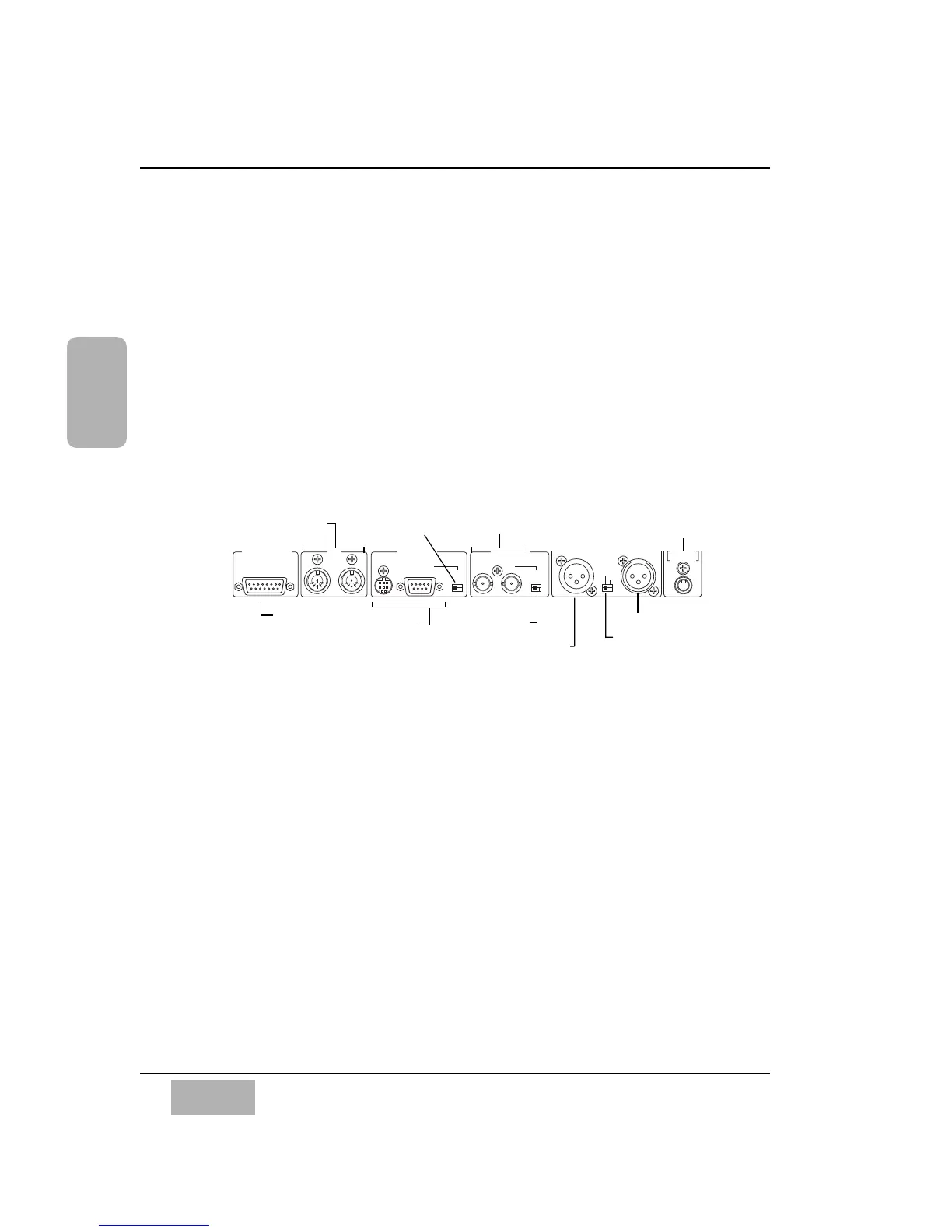
Row 4 Connectors
Remote SW [Switch]
Connect a momentary or press-to-talk remote switch with a 1/4” TS phone
plug for Talk Back or automation record functions. Parameters are assignable
in the [UTILITY>CONFIG] window.
Digital Input [AES/EBU] [S/PDIF]
An XLR connector inputs an audio signal from a DAT or other digital source.
Assignments can be made from the [D-I/O>INPUT SET] window. This
incoming source can be monitored by selecting the 2TR A LED button as the
MONITOR A source selection, or, on Channel Faders 15 and 16, when 2TR
A is assigned in the [D-I/O>INPUT SET] window. The signal can also be
directly assigned to the MASTER L/R program output.
Digital Record Output [AES/EBU] [S/PDIF]
XLR connections of the MASTER L/R digital output are for use in recording
by a digital device with AES/EBU digital input capabilities.
Meter Bridge
connector (Option).
MIDI In and Out
connectors
Serial I/O
connectors
Wordclock In and Out
/ Thru connectors
2TR Input Digital (XLR)
Format select switch
Remote switch connector for
Talkback ON/OFF and
automation REC ON/OFF
Cutaway of DA7 Rear Panel Row (4) Digital and Serial Connectors
Record Out Digital(XLR)
RS terminating
switch
Clock terminating &
OUT / Thru switch













 To Next Page