37
BASIC OPERATIONS
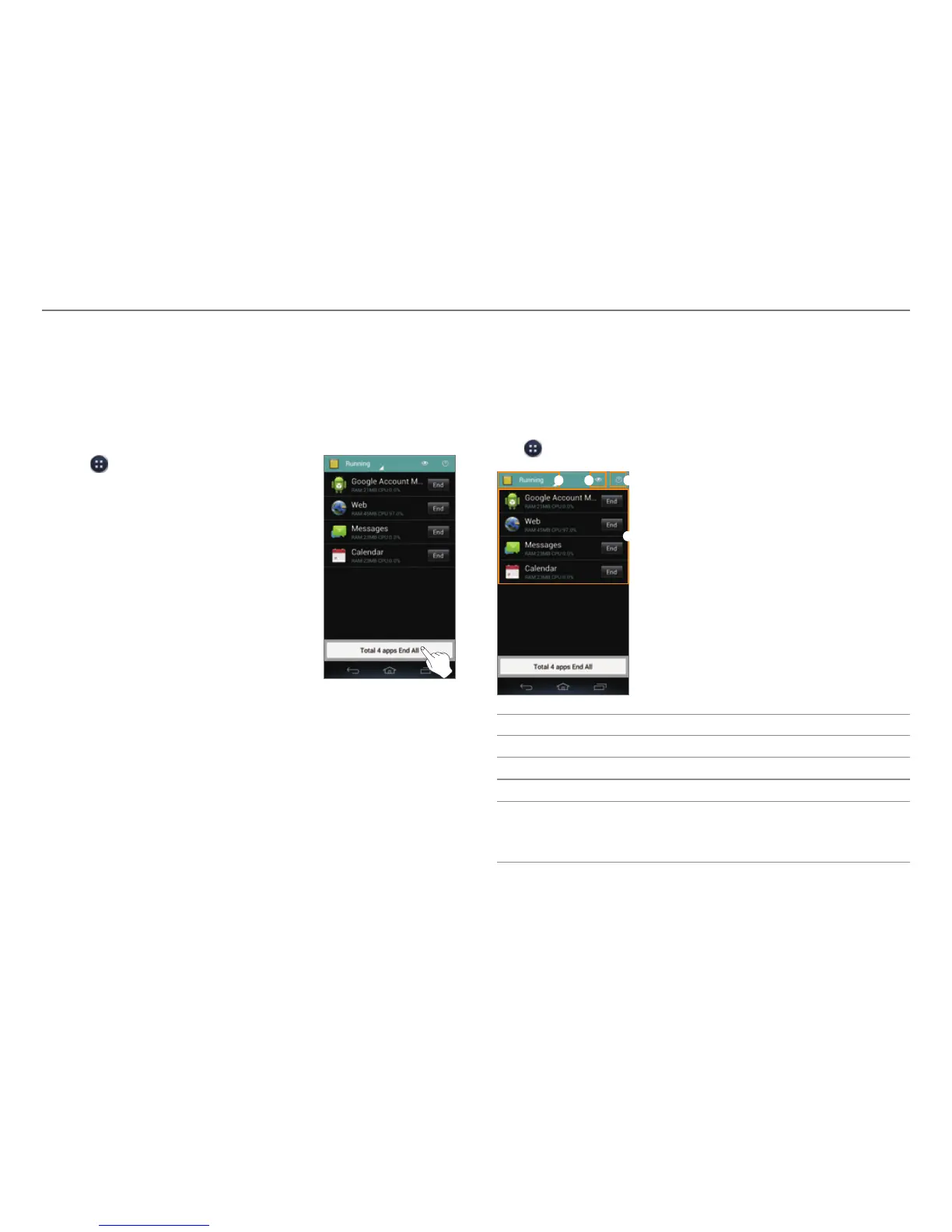
Closing Running Applications
If you start an application and do not close it with the Task
Manager, the application remains active even when you switch
to the Home screen or start another application. Running
multiple applications can slow down the performance of the
device. Close unnecessary application with the Task Manager.
1. Tap
> Task Manager.
2. Tap End next to an application.
x Tap Total X apps End All to close
all applications.
Optimizing the System
When you launch multiple applications at a time or the CPU's
usage is high, the consumption of the battery and the system
load will increase. Check the CPU's usage and RAM usage with
the Task Manager, and then optimize the system.
Tap
> Task Manager.
1 2 3
4
No. Description
1
Select a category.
2
Select a view type.
3
View the tips.
4
List of active applications.
x T
ap an application to view its information or protect
it from forced closure.



 To Next Page