55
COMMUNICATION
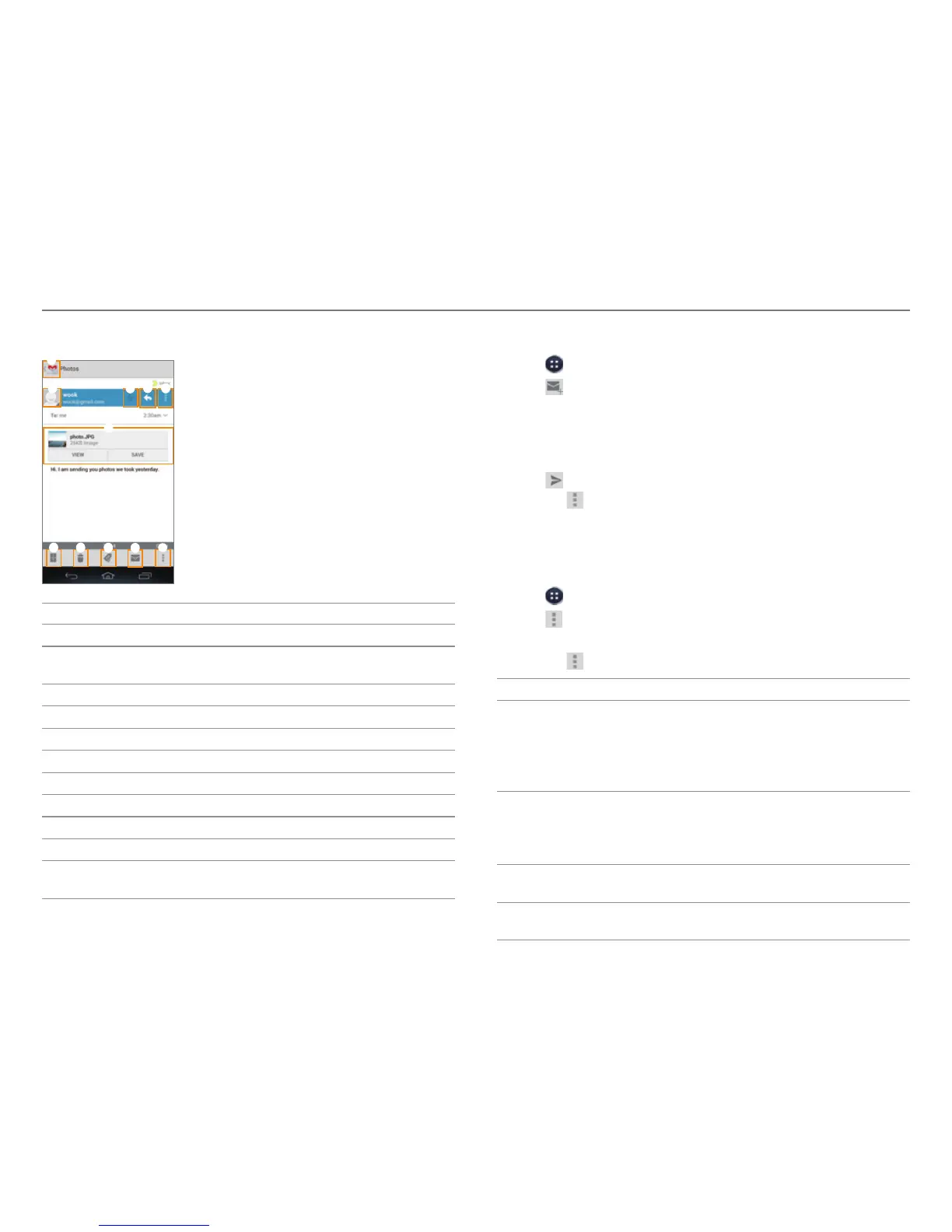
3. View the email message.
1
2 4
5
7 8
9
0 !
3
6
No. Description
1
Return to the mailbox.
2
Add the email address to contacts or view options
when the addr
ess is already saved.
3
Designate as a favorite.
4
Send a reply.
5
Reply to all or forward.
6
View or save the attachment.
7
Archive a message.
8
Delete a message.
9
Change labels.
0
Mark unread.
!
Mark not important, Mute, Report spam, Settings,
Help
, Send feedback
Creating a Gmail Message
1. Tap > Gmail.
2. Tap
to create a new message.
3. Tap the To field and enter the recipient’s email address.
4. Tap the Subject field and enter a subject.
5. Tap the Compose email field and write a message.
6. Tap
to send the message.
x Tap
to attach a file, add cc or bcc fields, save as
a draft, discard it, open settings, view help, or send
feedback.
Changing Gmail Settings
1. Tap > Gmail.
2. Tap
> Settings.
3. Select and tap an option.
x Tap
to view help or send feedback.
Option
Settings
General
settings
Confirm before deleting, Confirm before
archiving, Confirm before sending,
Reply all, Auto-advance, Message text size,
Hide checkboxes, Message actions,
Clear search history, Ask to show pictures
Pre-registered
accounts
Priority Inbox, Email notifications,
Ringtone & vibrate, Signature,
Gmail sync, Days of mail to sync,
Manage labels, Download attachments
About Gmail
Gmail Version, Send feedback,
Report a problem, License information
Experiments
Enable full text search, Enable drag and
drop contact chip



 To Next Page