49
CALLING & MESSAGING
5. Tap Send.
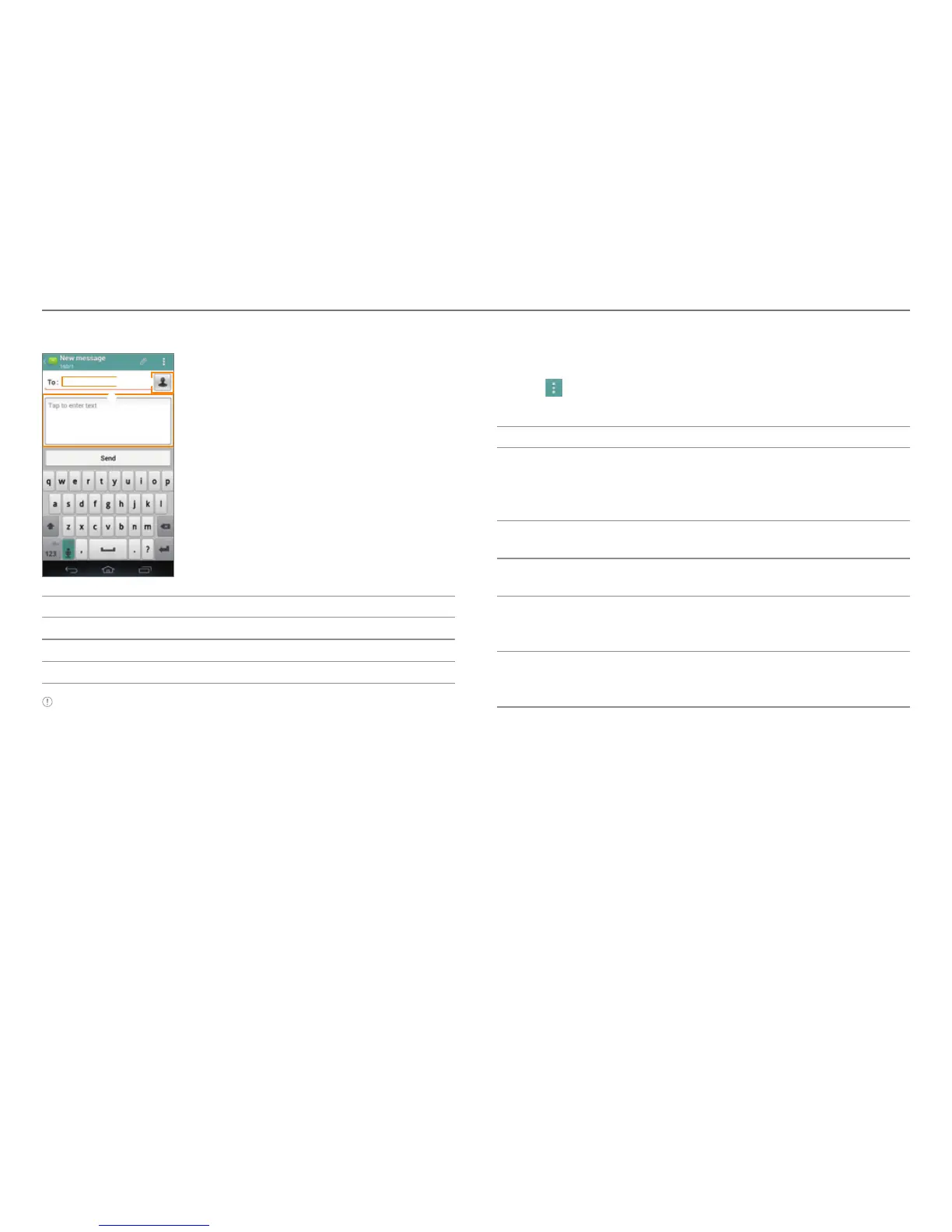
3
2
1
No. Description
1
Recipient input field
2
Select recipients from contacts, call log, or group.
3
Message input field
Note You can add multiple recipients in the recipient input field by
adding a comma, space, or semicolon between each recipient's
phone number or email address.
Configuring Message Settings
1. Tap Messages.
2. Tap
> Settings.
3. Select and tap an item.
Item Function
Storage settings
Set the old message auto-deletion
limit. Set the text message or
multimedia message limit. View used
memory.
Signature settings
Edit your signature. Set the Signature
auto-append function.
Text message (SMS)
settings
Manage SIM card messages.
Multimedia message
(MMS) settings
Set the Auto-retrieve function. Access
extra settings. Set the storage for
saving attachments.
Notification settings
Configure the message notification
setting. Select a ringtone. Configure
the vibration setting.



 To Next Page