65
MEDIA CENTER
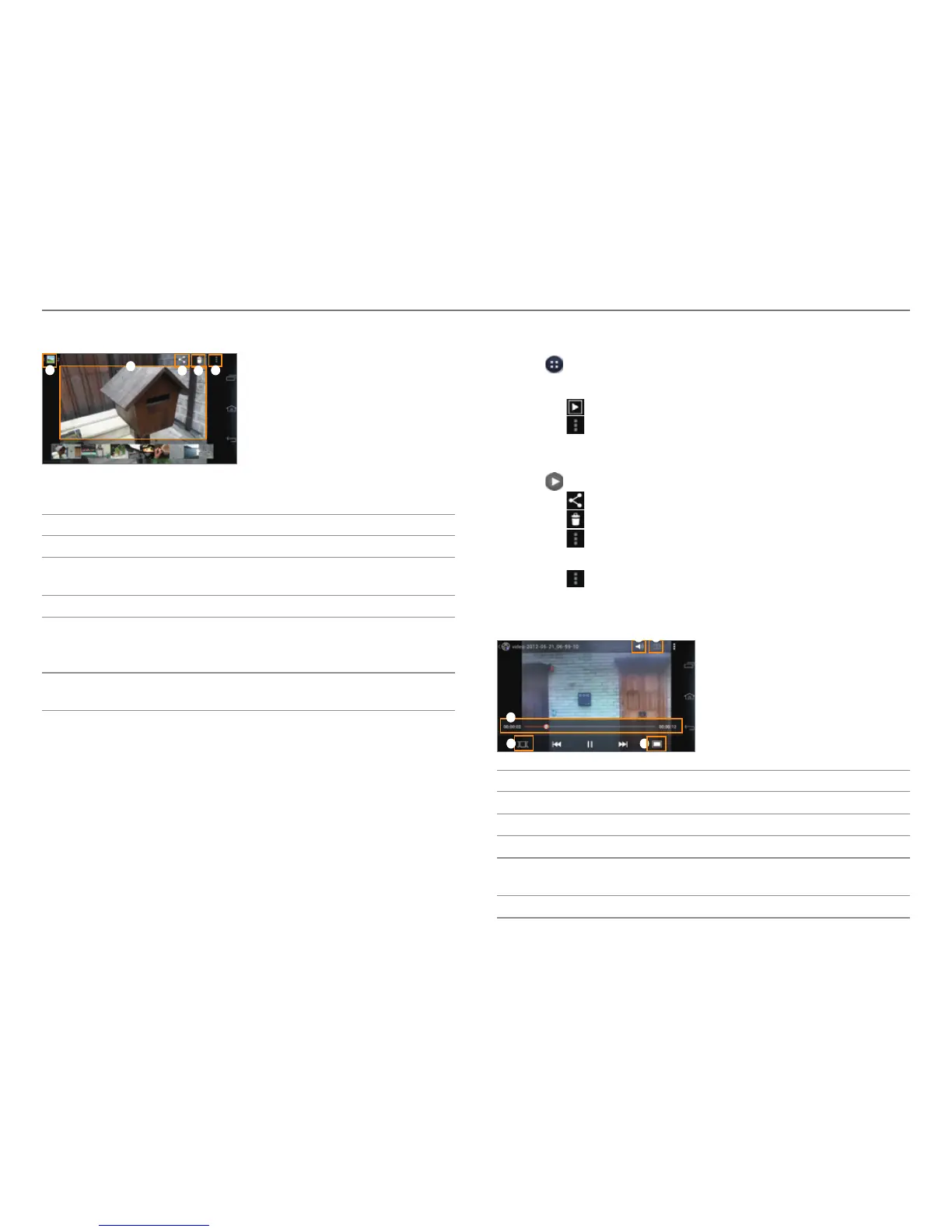
4. View the picture.
1
4
2 3
5
Example: When you select a picture in the Camera folder.
No. Description
1
Return to the folder.
2
Share a picture via Social World, Bluetooth, or other
method.
3
Delete a picture.
4
Start a slideshow, Edit a picture, Rotate a picture,
Cr
op a picture, Set as a contact photo or wallpaper,
View the file information
5
The selected picture
x T
ap to view or hide the option menus.
Viewing Videos
1. Tap > Gallery.
2. Select and tap a folder > a video.
x Tap
to play a slide show.
x Tap
to select items or view videos in groups.
x Tap and hold a video to share or delete or view menu
items.
3. Tap
to play the video.
x Tap
to share the video.
x Tap
to delete the video.
x Tap
to view the file information.
4. View the video.
x Tap
to share the video, view the file information, or
access the settings. If the video has a caption, you can
adjust the caption settings.
3
4 5
21
No. Description
1
Adjust the volume.
2
Set the sound effects.
3
Playback progress bar
4
View the thumbnails of a video.
x T
ap a thumbnail to move to that scene.
5
Adjust the screen size.



 To Next Page