68
MEDIA CENTER
Using the Video Player
Before Using
x Supported video formats and codecs are H.263, H.264 AVC,
MPEG-4, VC-1(WMV), DivX/XviD.
x Supported files types and container formats are .3gp, .3g2,
.mp4, .mkv, .avi, .wmv, .asf, .divx.
x Some videos may not appear as thumbnails in Gallery or
other applications due to performance limitations.
x Damaged or incompatible files may not play or may play
abnormally.
x The maximum resolution is 1920 X 1080. Some files
in certain formats or codecs may not play or may play
abnormally according to encoding options such as profile
or level, frames per second, or bit rate.
x Some files may not play or may play abnormally due to
performance or memory limitations.
x Large video files may take longer to start playing or to
search.
x If you play video files with a Bluetooth headset connected,
playback may differ depending on file formats or codecs.
x Subtitles (.smi or .srt) are supported with video files.
Viewing Videos
1. Tap > Video Player.
2. Select and tap a video.
x Tap
to play selected files; to delete, share, or sort
files; or go to DivX registration.
x Tap and hold a video file to delete, share, search for, or
view the file information.
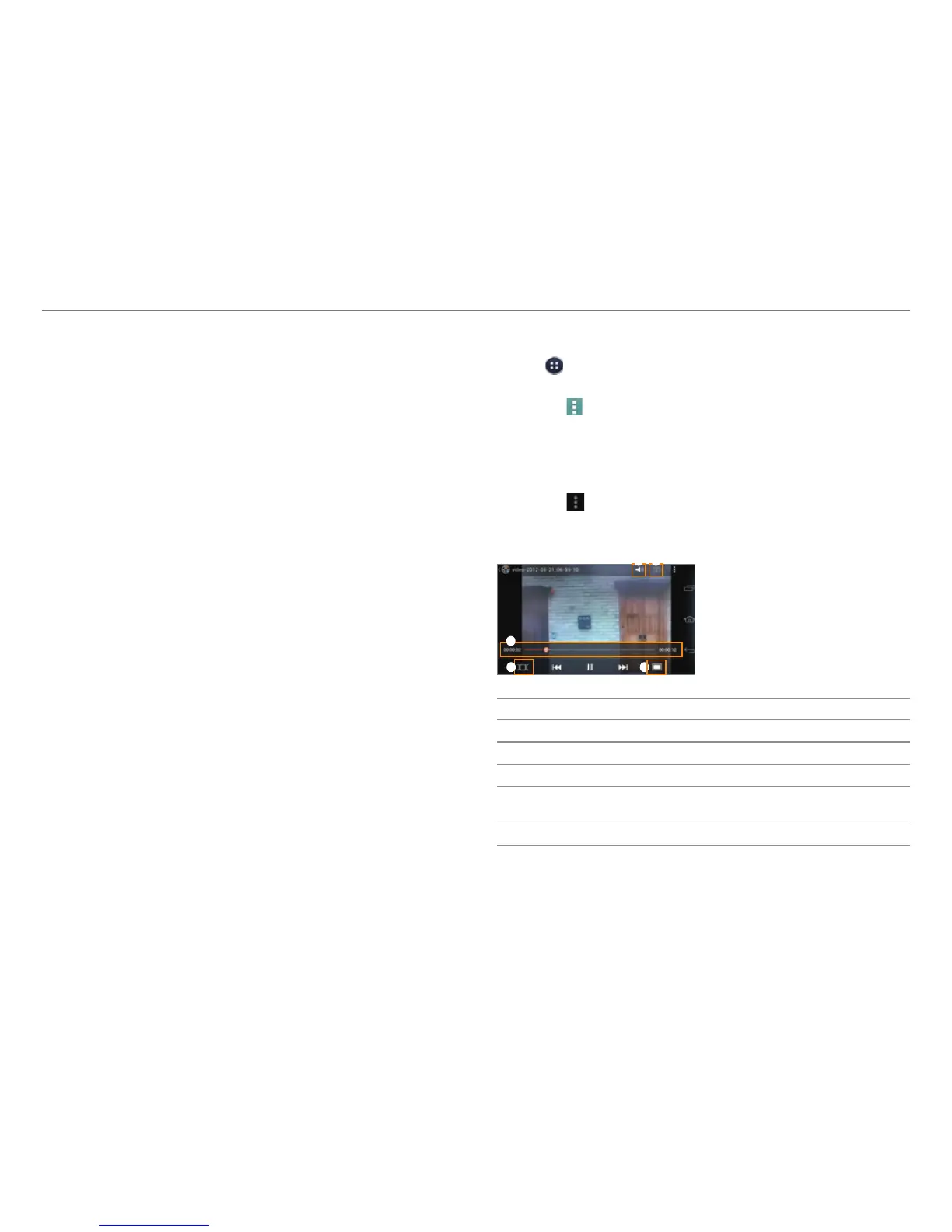
3. View the video.
x Tap
to view the current playlist, share the video, view
the file information, or access the settings. If the video
has a caption, you can adjust the caption settings.
3
4 5
21
No. Description
1
Adjust the volume.
2
Set the sound effects.
3
Playback progress bar
4
View thumbnails of a video.
x T
ap a thumbnail to move to that scene.
5
Adjust the screen size.



 To Next Page