56
COMMUNICATION
Using Google+
Google+ allows you to share things with people, send
messages, and more.
1. Tap
> Google+.
2. Tap New to create a new account.
x Tap Existing if you have a Google account.
3. Follow the on-screen instructions.
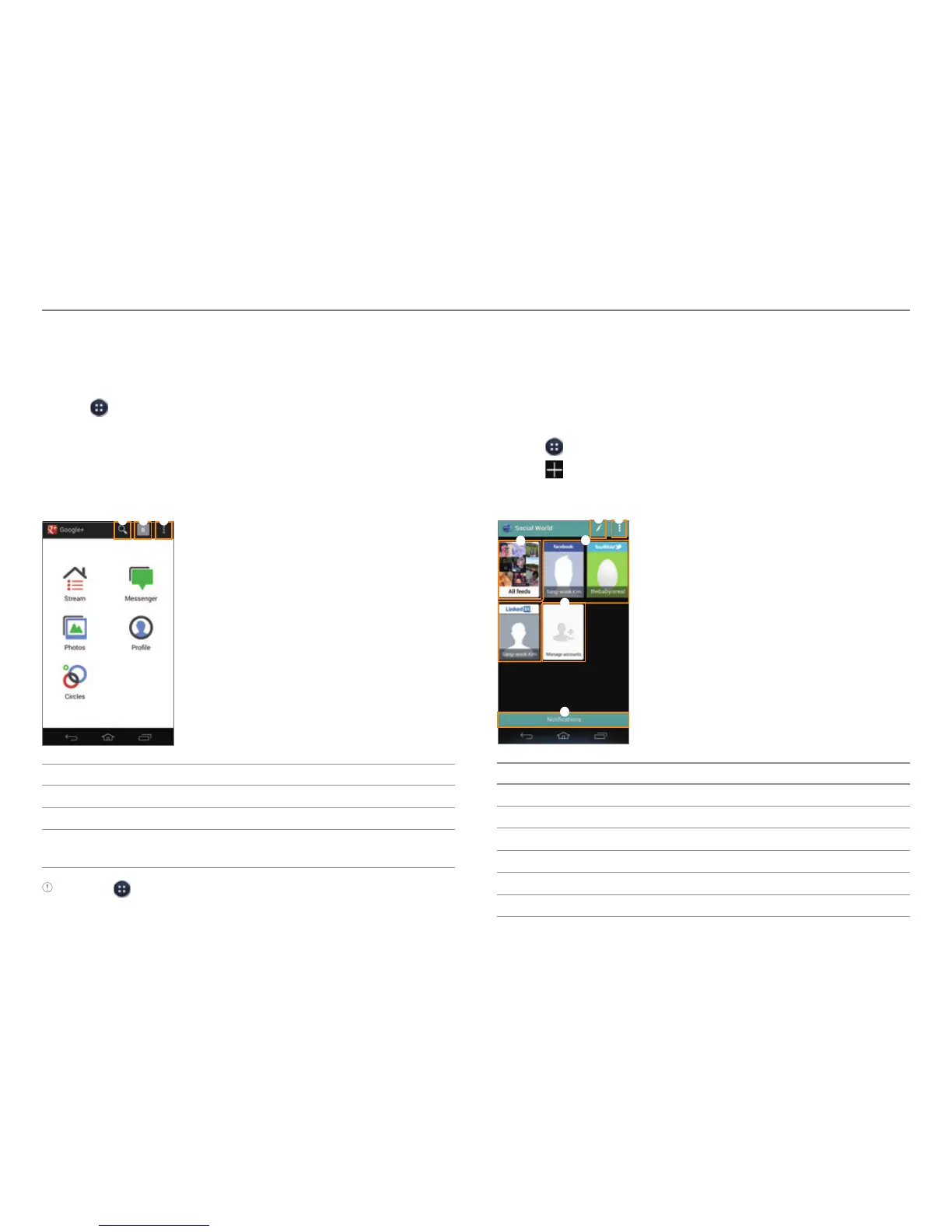
4. Select and tap a menu.
1
2 3
No. Description
1
Search for posts or people.
2
Notifications
3
New post, Settings, Send feedback, Sign out, Help,
Priv
acy policy, Terms of service
Note Tap > Messenger to start the Messenger function manually.
Using Social World
Social World allows you to use social services, such as
Facebook,Twitter, and LinkedIn, all in one place.
Setting up Social World Accounts
1. Tap > Social World.
2. Tap
on the right side of a Social World service.
3. Enter your username or email address and password.
3
4
6
1
2
5
No. Description
1
Post a new message.
2
Search, Edit, Settings
3
All feeds
4
Pre-registered accounts
5
Add accounts, Remove accounts, Set sync options
6
View all notifications.



 To Next Page