59
COMMUNICATION
3. Select and tap a folder from the list.
4. Select and tap a photo or video.
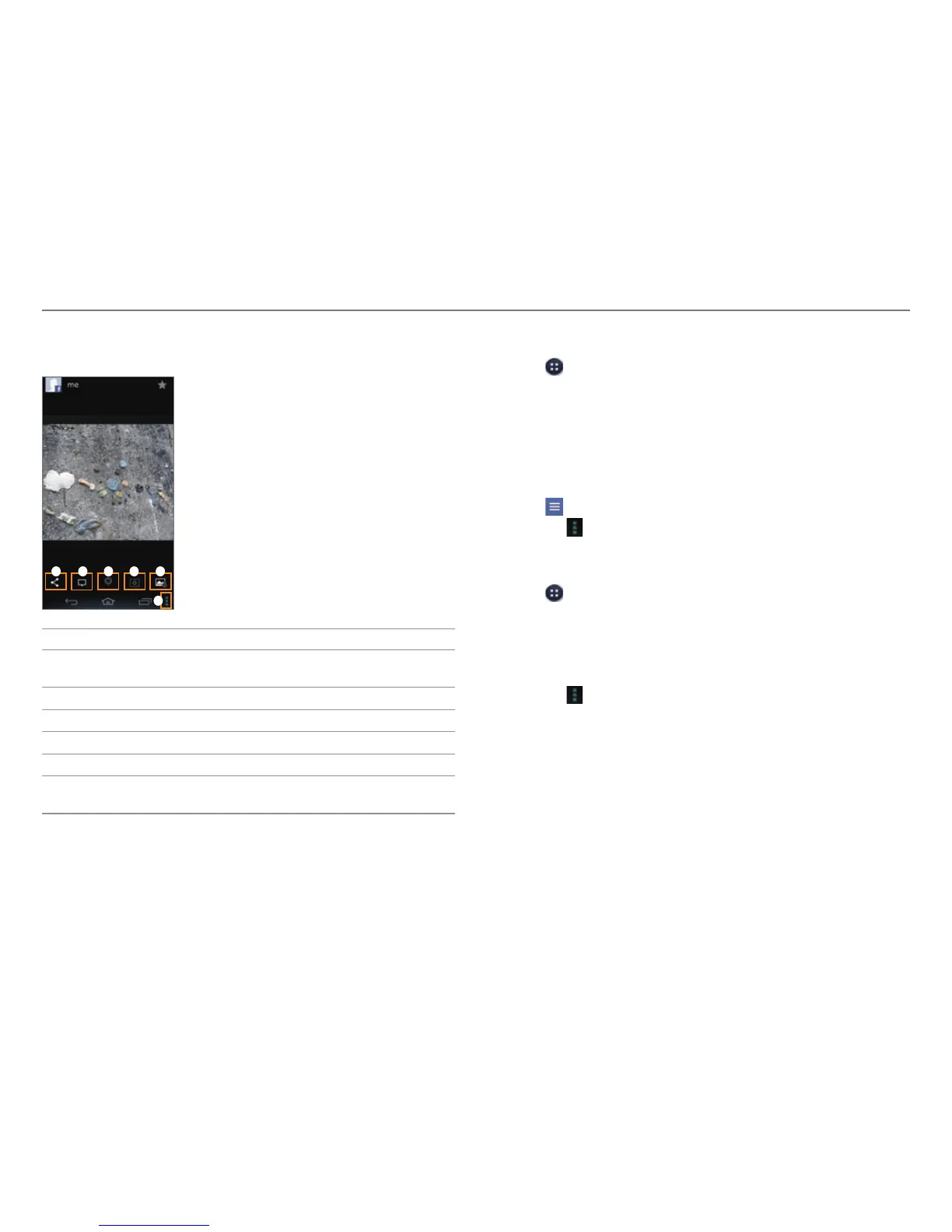
1 2 3 4 5
6
No. Description
1
Share the picture via Bluetooth, Facebook, Gmail, or
other method.
2
Write a comment or delete the file.
3
View the picture on a map.
4
View pictures in a slideshow.
5
View the file information.
6
Write a caption, Save the picture, Print the picture,
Set as a con
tact photo or wallpaper.
Using Facebook
1. Tap > Facebook.
2. Enter your email address and password, and then tap
Login.
x Tap Sign Up for Facebook if you do not have a Facebook
account.
3. Select and tap a contacts sync option, and then tap Sync or
Done.
4. Tap
to select a tab.
x Tap
to view the menus.
Using Twitter
1. Tap > Twitter.
2. Tap Sign In, and then enter your username or email address
and password.
x Tap Sign Up if you do not have a Twitter account.
3. Select a tab on the top.
x Tap
to view the menus.



 To Next Page