83
MENU FUNCTIONS
Talk
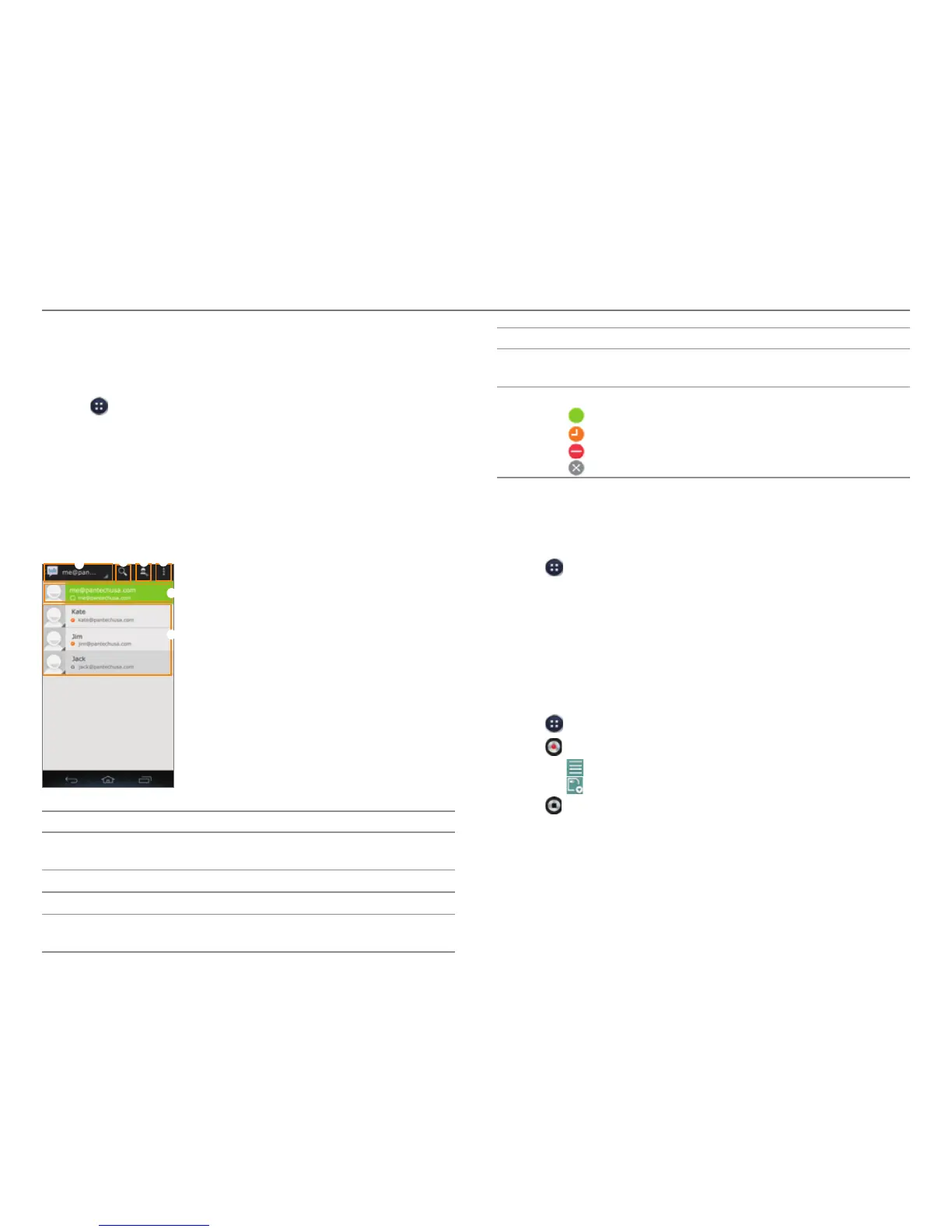
Talk is an instant messenger offered by Google that allows you
to chat with your friends.
1. Tap
> Talk.
2. Tap Existing to log in with your Google account.
x Tap New to create a Google account.
3. Enter your email address and password, and then tap
Sign in.
4. Configure the backup and restore settings, and then tap Next.
5. Chat with your friends.
1
2 3
4
6
5
No. Description
1
Current account
x T
ap to select another account.
2
Search Google Talk.
3
Send a chat invitation.
4
Display options, End all chats, Sign out, Settings, Help,
Send f
eedback
No. Description
5
Your account
x T
ap to change your status or status message.
6
Friends list
x
: Online
x
: Away
x
: Busy
x
: Offline
Tip Calculator
Calculate tips and split bills.
1. Tap
> Tip Calculator.
2. Enter the total amount of the bill, the tip percentage, and
the number of people that are splitting the bill.
3. Tap Done.
Voice Recorder
Record an audio file.
1. Tap
> Voice Recorder.
2. Tap
to start recording.
x Tap
to view the file list.
x Tap
to set the location for saving files.
3. Tap
to stop recording.
x Once you stop the audio recording, the audio file is
saved automatically.



 To Next Page