K3.1.141e Manual NitroFlow HP_EN.doc - 57 -
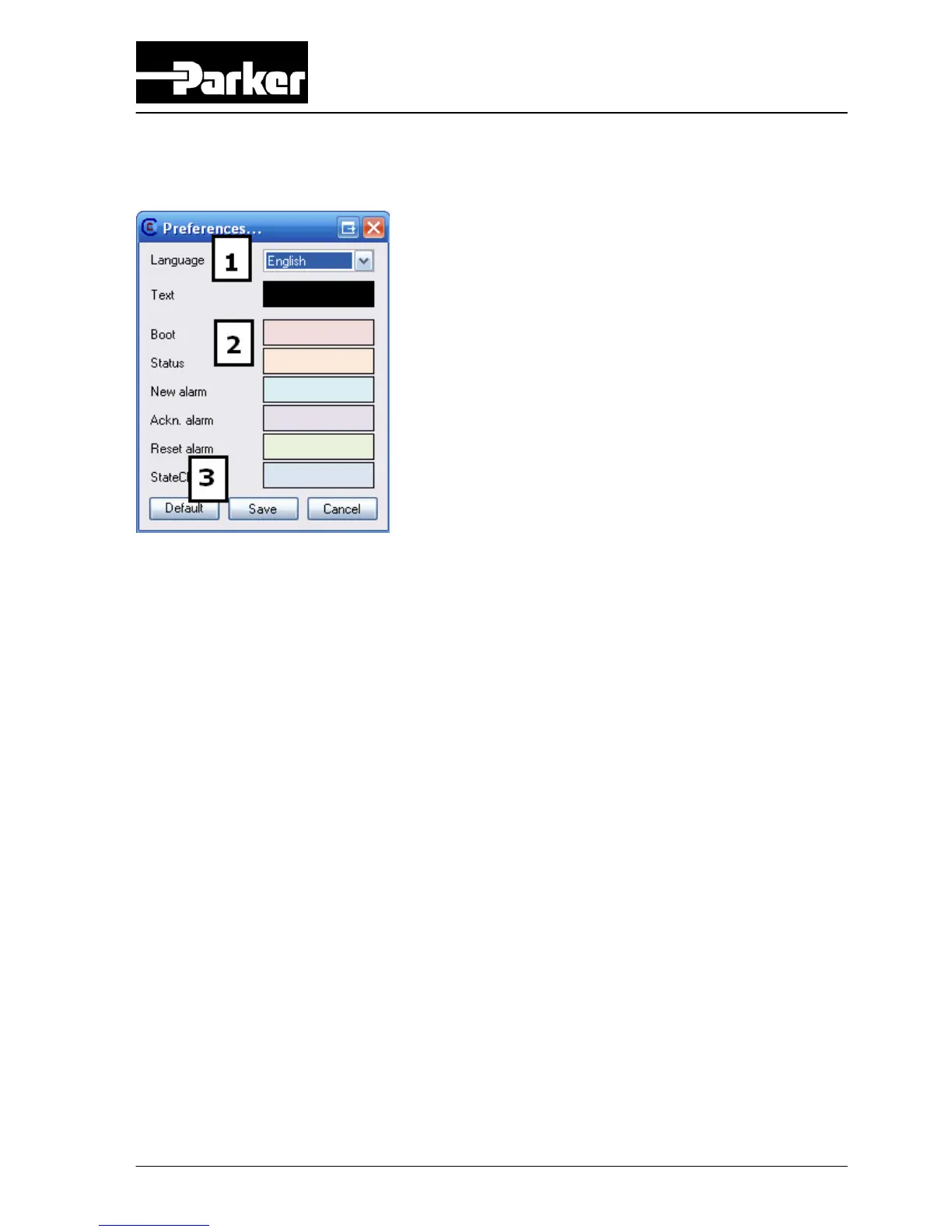
Preferences
1: Language Change the language of NitroView
2: Color The colors for each event
Each log type has its own color scheme for background colors.
You can globally change the text color as well. (For example: if
you use dark colors for the events, you can choose white text)
Just click on a color box, then you can pick a color.
3: Default colors Click this to reset all colors back to default
When you change something, it will remain unsaved till you click Save. If you click
cancel everything is reversed to its original settings.
Note: This doesn’t apply when you’ve clicked ‘Default color’, this is a irreversible
action
.



 To Next Page