115
Shooting Functions
4
M Center-weighted Metering
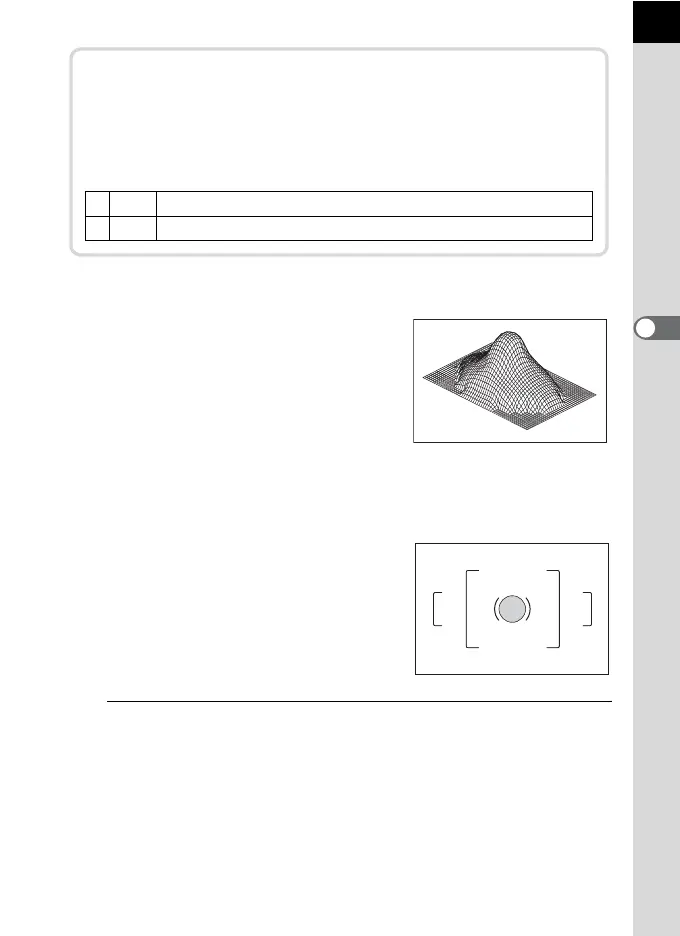
Metering is weighted at the center of the
viewfinder. Use this metering when you want
to compensate the exposure by experience,
instead of leaving it to the camera. The
illustration shows that sensitivity increases
as the pattern height increases (center).
This mode does not automatically
compensate for backlit scenes.
N Spot Metering
The brightness is measured only within a
limited area at the center of the viewfinder.
You can use this in combination with the AE
Lock (p.120) when the subject is extremely
small and the correct exposure is difficult to
obtain.
1
Press the M button in the status screen.
The control panel appears.
Press the M button when the status screen is not displayed.
Linking AE to AF Point during Multi-segment
Metering
In [6. Link AE to AF Point] of the [A Custom Setting 1] menu (p.89),
you can link the exposure and AF point in the focusing area during
multi-segment metering.
1
Off Exposure is set separately from the AF point. (default setting)
2
On Exposure is set in accordance with the AF point.



 To Next Page
 Loading...











