293
Connecting to a Computer
10
Saving Images on Your Computer
Set the USB connection mode when connecting to a computer via the
provided USB cable (I-USB7). The default setting is [MSC].
1
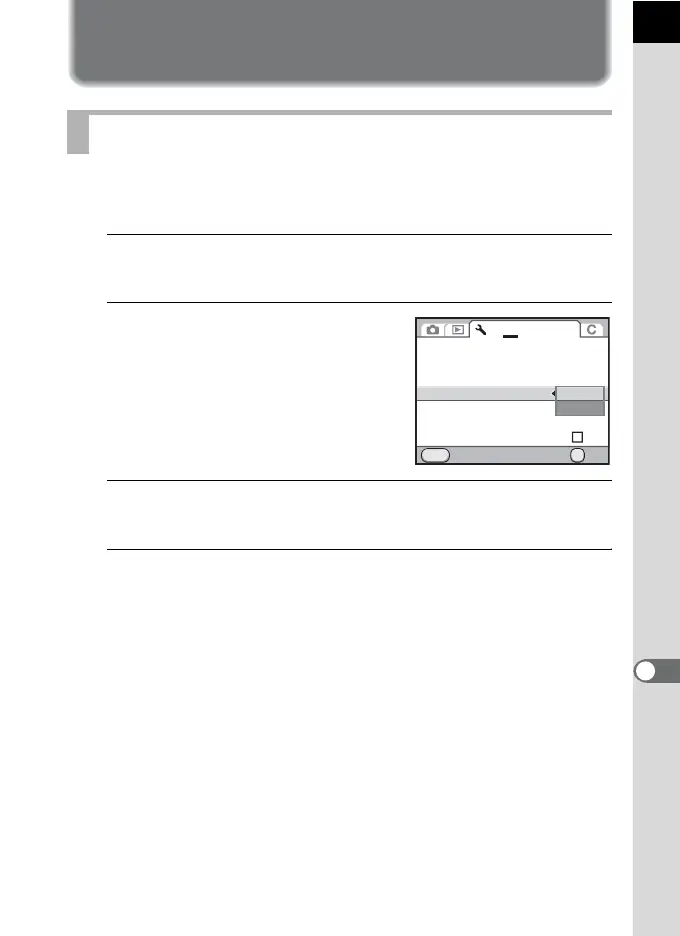
Select [USB Connection] in the [R Set-up 2] menu and
press the four-way controller (5).
2
Use the four-way controller (23)
to select [MSC] or [PTP].
Refer to p.294 for details.
3
Press the 4 button.
The setting is changed.
4
Press the 3 button.
The screen that was displayed before selecting the menu appears again.
Setting the USB Connection Mode
Brightness Level
LCD Color Tuning
Video Out
USB Connection
Folder Name
Create New Folder
Cancel OK
OK
MENU
1 2
3
4
NTSC
±0
Copyright Information
MSC
PTP



 To Next Page
 Loading...











