283
Changing Additional Settings
9
Setting the Photographer Information
The camera type, shooting conditions and other information are
automatically embedded in captured images in the Exif data format. You
can embed photographer information in this Exif.
1
Select [Copyright Information] in the [R Set-up 2] menu
and press the four-way controller (5).
The [Copyright Information] screen appears.
2
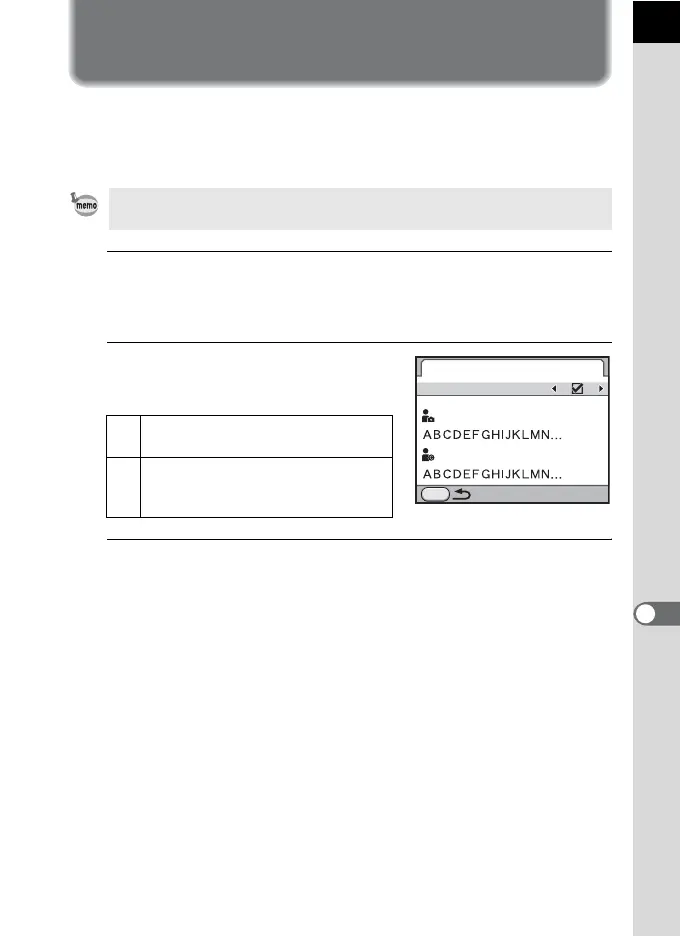
Use the four-way controller (45)
to select O or P.
3
Use the four-way controller (23) to select [Photographer]
and press the four-way controller (5).
The text-entry screen appears.
Use the provided “PENTAX Digital Camera Utility 4” software (p.298) to check
the Exif information.
O
Embeds copyright information in the
Exif.
P
Does not embed copyright
information in the Exif. (default
setting)
Copyright Information
Embed Copyright Data
Photographer
Copyright Holder
MENU



 To Next Page