222
Playback Functions
7
Setting the Playback Display Method
You can set the initial magnification when enlarging images, whether to
display the Bright/Dark Area warning, and whether to automatically rotate
images that are shot with the camera held vertically in Playback mode.
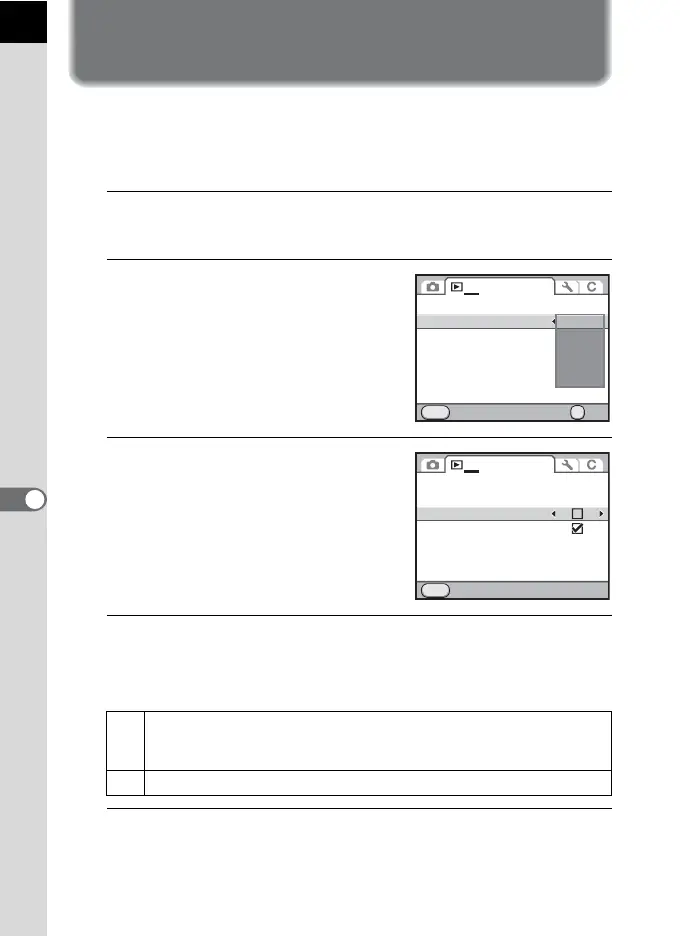
1
Select [Quick Zoom] in the [Q Playback 1] menu and
press the four-way controller (5).
2
Use the four-way controller (23)
to select the magnification and
press the 4 button.
Select from [Off] (default setting), [×2],
[×4], [×8] or [×16].
3
Use the four-way controller (23)
to select [Bright/Dark Area], and
use the four-way controller (45)
to select O or P.
4
Use the four-way controller (23) to select [Auto Image
Rotation], and use the four-way controller (45) to select
O or P.
5
Press the 3 button.
The screen that was displayed before selecting the menu appears again.
O
During playback, the image is automatically rotated based on the
rotation information when [18. Saving Rotation Info] in the [A Custom
Setting 3] menu (p.90) is set to [On]. (default setting)
P The image is not automatically rotated during playback.
MENU
1
Slideshow
Quick Zoom
Bright/Dark Area
Auto Image Rotation
IrSimple
Delete All Images
Cancel OK
OK
X2
X4
X8
X16
Off
Slideshow
Quick Zoom
Bright/Dark Area
Auto Image Rotation
IrSimple
Delete All Images
Exit
MENU
Off
1



 To Next Page
 Loading...











