69
Basic Operations
3
The W features various capture modes, focus modes, and drive
modes for expressing your photographic vision. This section explains how
to take pictures by simply pressing the shutter release button.
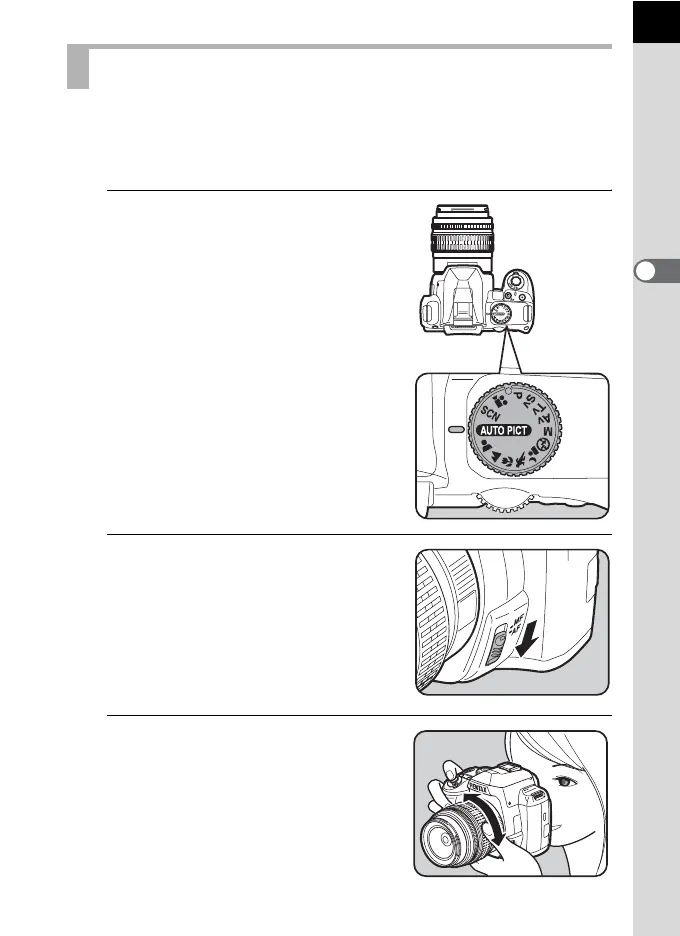
1
Set the mode dial to I.
The camera will select the optimal
capture mode for the subject.
1 Selecting the Appropriate Capture
Mode (p.91)
2
Set the focus mode lever to =.
The focus mode changes to =
(Autofocus) mode.
When the shutter release button is
pressed halfway in =, the camera
focuses automatically. (p.122)
3
Look through the viewfinder to
view the subject.
A zoom lens can be used to change the
size of the subject in the viewfinder.
(p.74)
Letting the Camera Choose the Optimal Settings
M
F
AF



 To Next Page