70
Basic Operations
3
4
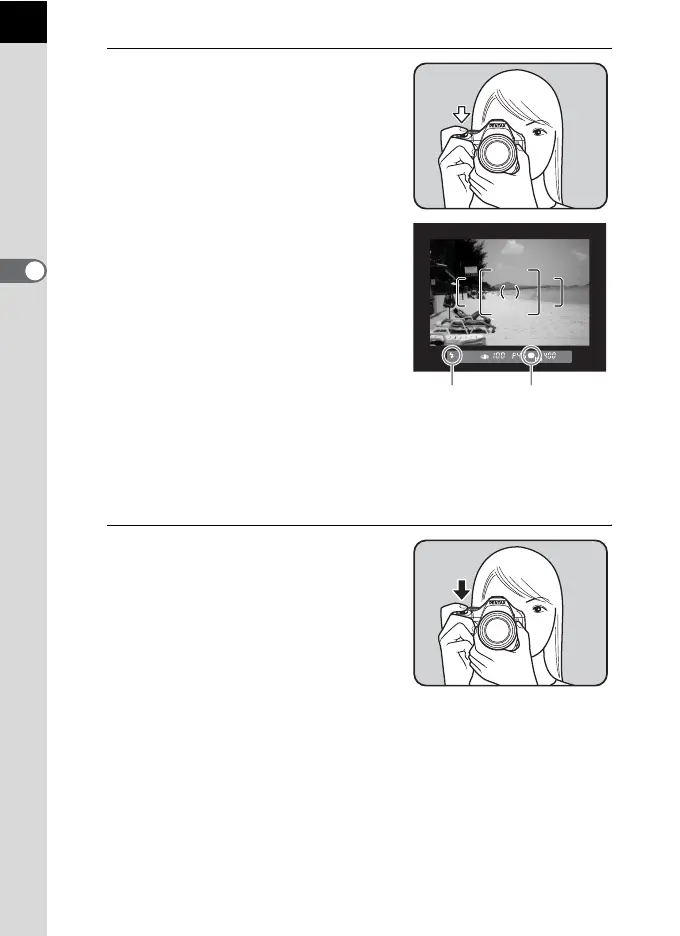
Position the subject inside the
AF frame and press the shutter
release button halfway.
The autofocus system operates. The
focus indicator ] appears in the
viewfinder when the subject comes into
focus.
When set to I (Auto Picture) mode,
the optimal capture mode is automatically
selected from U (Standard),
= (Portrait), s (Landscape), q (Macro),
\ (Moving Object) or . (Night Scene
Portrait).
The built-in flash pops up automatically
when necessary.
1 Operating the shutter release button
(p.72)
1 Subjects that are difficult to focus on
(p.73)
1 Using the Built-in Flash (p.75)
1 Selecting the Focusing Area (AF Point) (p.129)
5
Press the shutter release button
fully.
The picture is taken.
This action is referred to as "releasing the
shutter" or "release".
Focus indicatorFlash
status



 To Next Page