32
Before Using Your Camera
1
The following indicators appear on the monitor to indicate the keys,
buttons and e-dial that can be operated at that time.
Example)
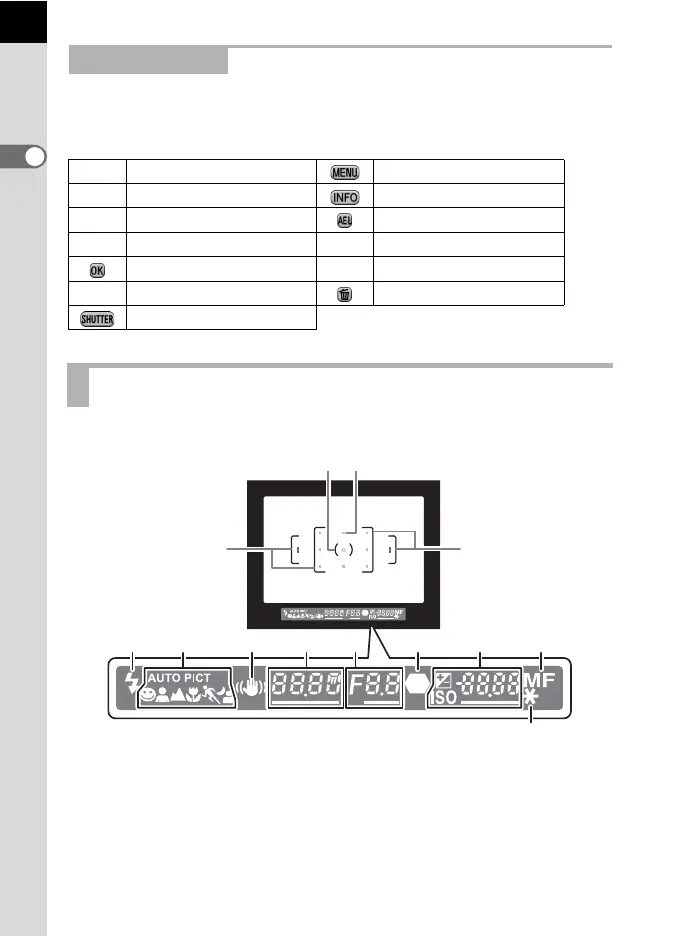
The following information appears in the viewfinder.
Guide Indicators
2 Four-way controller (2) 3 button
3 Four-way controller (3) M button
4 Four-way controller (4) =/L button
5 Four-way controller (5) | Green button
4 button mmc button
S E-dial K/i button
Shutter release button
Viewfinder
1 AF frame (p.58)
2 Spot metering frame (p.115)
3 AF point (p.129)
4 Flash status (p.75)
Lit: when flash is available.
Blinks: when flash is recommended but not set.
4 5
12
7910116 8
1
2
1
3



 To Next Page