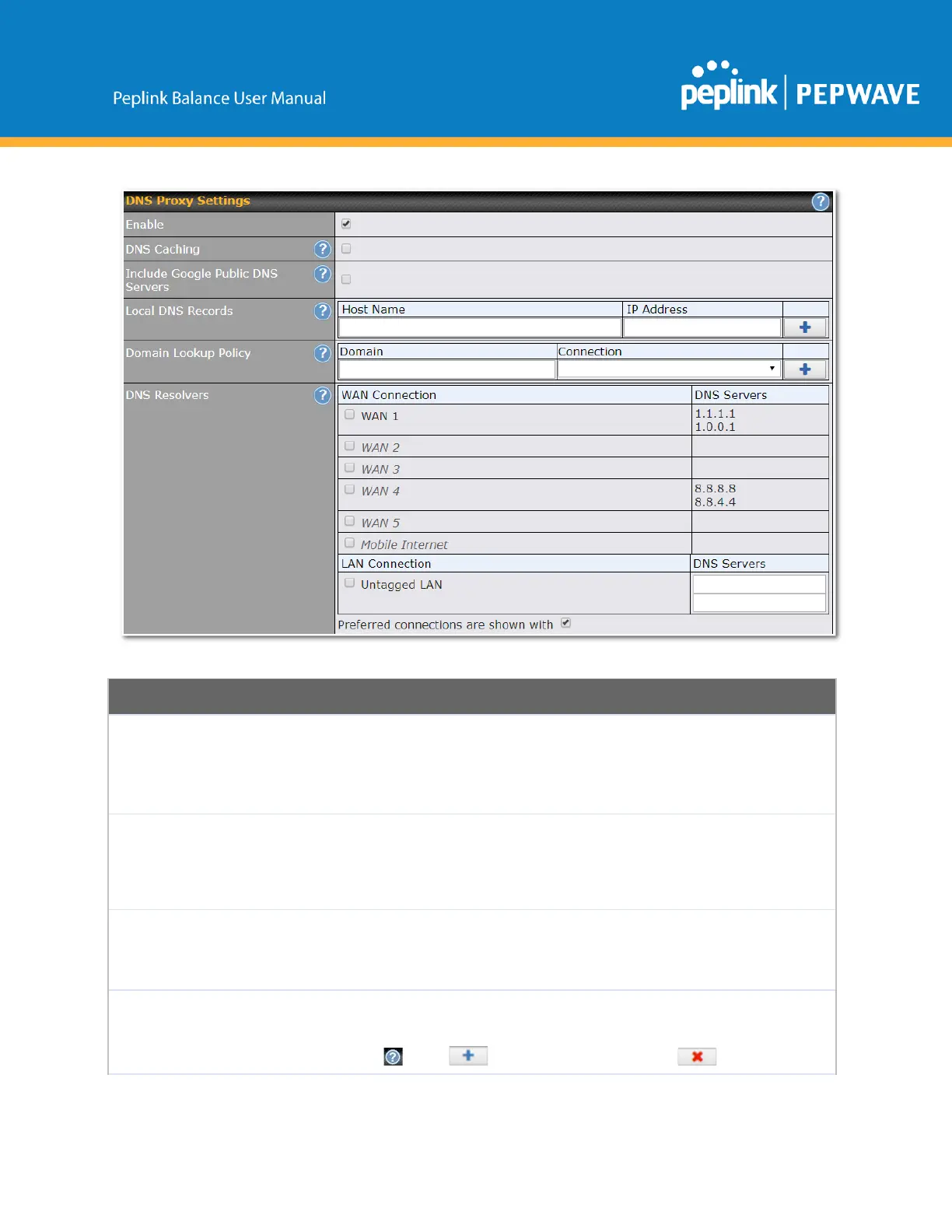
ToenabletheDNSproxyfeature,checkthisbox,andthensetupthefeatureat
Network>LAN>DNSProxySettings.
ADNSproxyservercanbeenabledtoserveDNSrequestsoriginatingfrom
LAN/PPTP/SpeedFusion
TM
peers.RequestsareforwardedtotheDNSservers/resolvers
definedforeachWANconnection.
ThisfieldistoenableDNScachingonthebuiltinDNSproxyserver.Whentheoptionis
enabled,queriedDNSreplieswillbecacheduntiltherecords’TTLhasbeenreached.This
featurecanimproveDNSresponsetimebystoringallreceivedDNSresultsforfasterDNS
lookup.However,itcannotreturnthemostupdatedresultforfrequentlyupdatedDNS
records.Bydefault,DNSCachingisdisabled.
IncludeGoogle
PublicDNS
Servers
Whenthisoptionisenabled,theDNSproxyserverwillforwardDNSrequeststoGoogle's
publicDNSservers,inadditiontotheDNSserversdefinedineachWAN.Thiscould
increasetheDNSservice'savailability.Thissettingisdisabledbydefault.
ThistableisfordefiningcustomlocalDNSrecords.AstaticlocalDNSrecordconsistsofa
hostnameandIPaddress.WhenlookingupthehostnamefromtheLANtoLANIPofthe
PeplinkBalance,thecorrespondingIPaddresswillbereturned.Todisplaytheoptiontoset
TTLmanually,click .Click tocreateanewrecord.Click toremovea
Copyright@2019Peplink



 To Next Page