DNSproxywilllookupthedomainnamesdefinedhereusingonlythespecified
connections.
ChecktheboxtoenabletheWINSserver.AlistofWINSclientswillbedisplayedat
Network>LAN>DNSProxySettings>DNSResolvers.
ThisfieldspecifieswhichDNSresolverswillreceiveforwardedDNSrequests.Ifno
WAN/VPN/LANDNSresolverisselected,alloftheWAN’sDNSresolverswillbeselected.
IfaSpeedFusion
TM
peerisselected,youmayentertheVPNpeer’sDNSresolverIP
address(es).
Querieswillbeforwardedtotheselectedconnections’resolvers.Ifalloftheselected
connectionsaredown,querieswillbeforwardedtoallresolversonhealthyWAN
connections.
A
Advancedfeature,pleaseclickthe buttononthetoprighthandcornertoactivate.
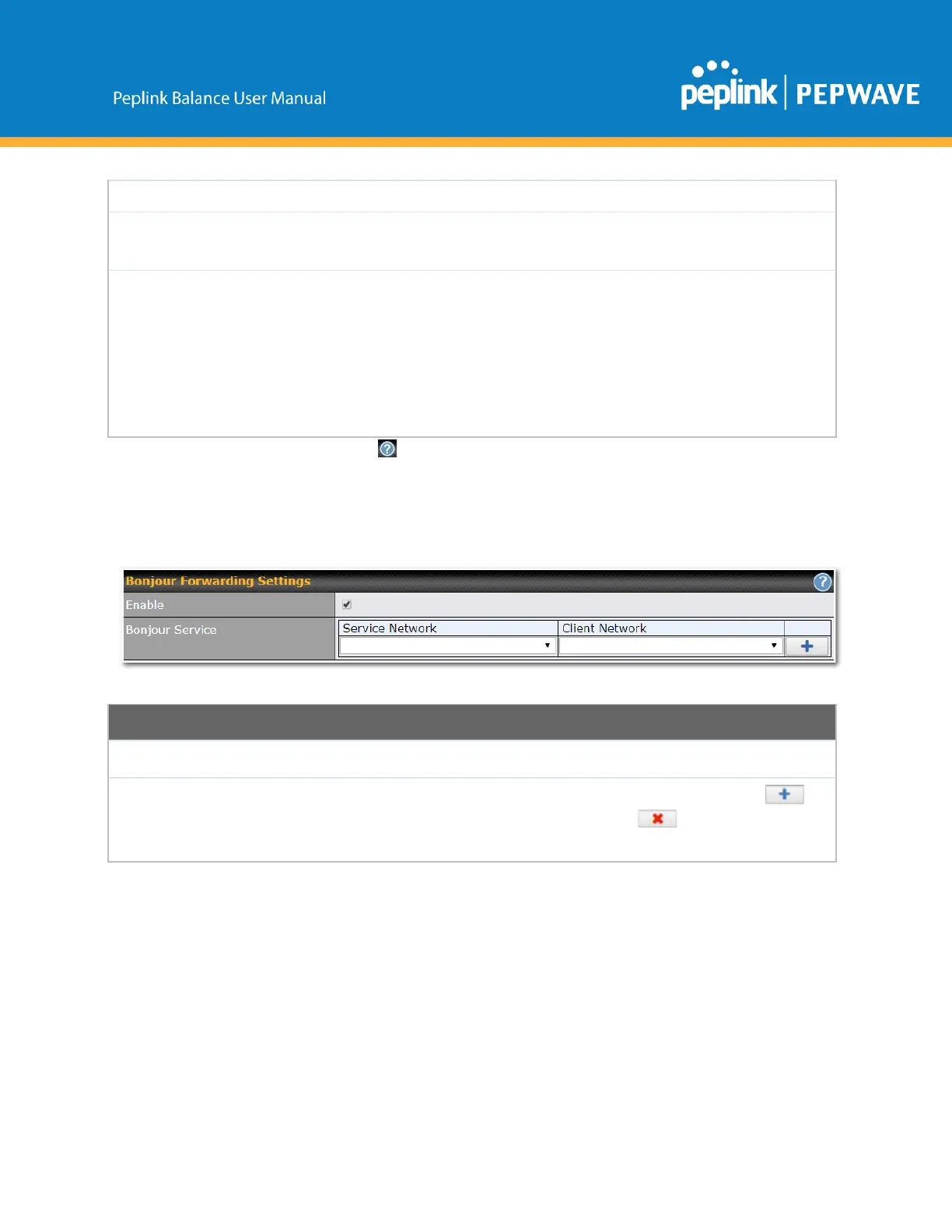
Finally,ifneeded,configureyourBonjourforwardingsettings.Onceallsettingshavebeenentered,click
Savetostoreyourchanges.
BonjourForwardingSettings
CheckthisboxtoturnonBonjourforwarding.
ChooseServiceandClientnetworksfromthedropdownmenus,andthenclick to
addthenetworks.TodeleteanexistingBonjourlisting,click .
BonjourForwardingissupportedonAllBalancemodels,MAX700,HD2,HD4
DropInMode
Dropinmode(ortransparentbridgingmode)easestheinstallationofthePeplinkBalanceonalive
networkbetweenthefirewallandrouter,suchthatchangestothesettingsofexistingequipmentarenot
required.
Thefollowingdiagramillustratesdropinmodesetup:
Copyright@2019Peplink



 To Next Page