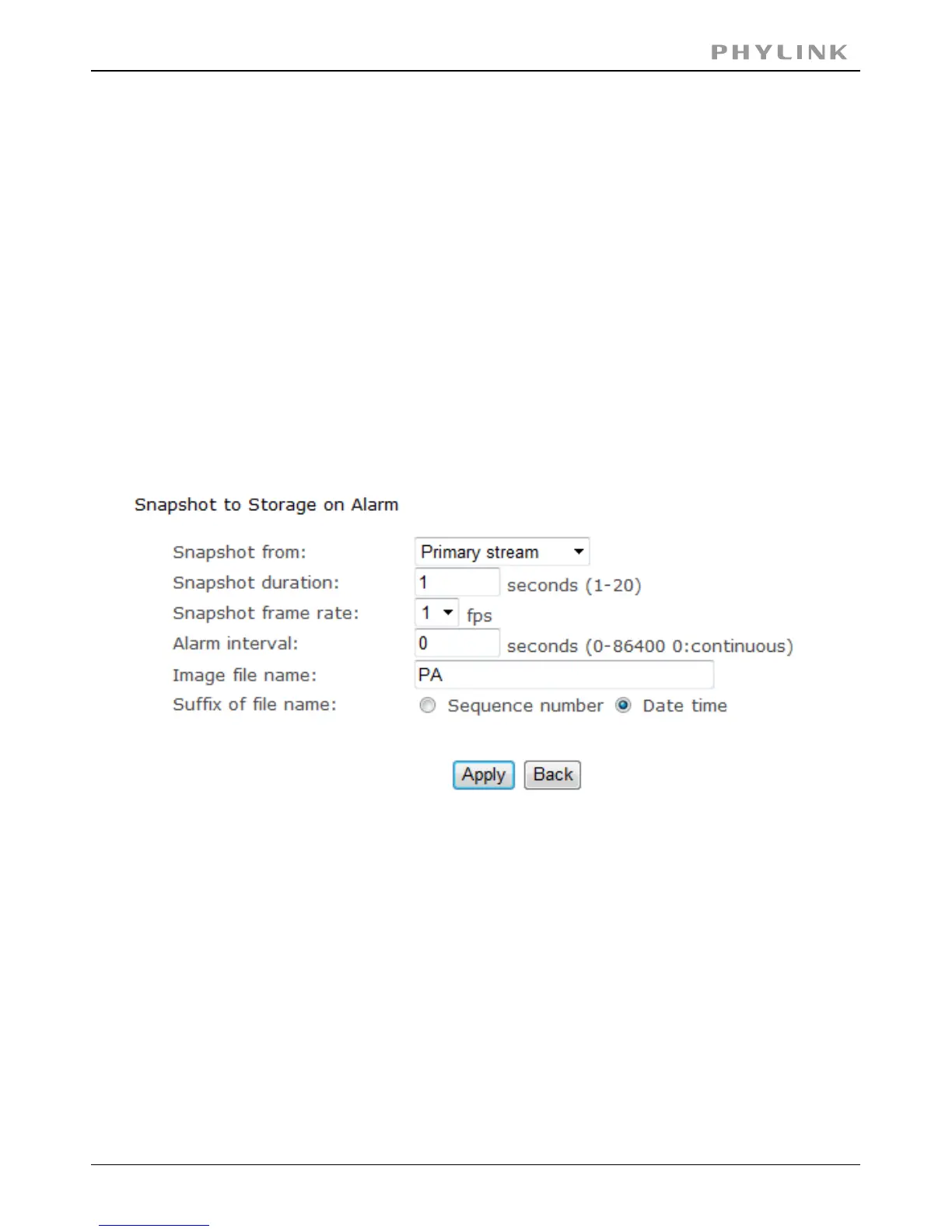
3.5.3.7 Snapshot to storage on alarm
[Snapshot to storage on alarm] Select Primary stream.
Select the time.[Snapshot duration]
Select the frame.[Snapshot frame rate]
Input the interval time.[Alarm interval]
Click to confirm your setting.Apply
The following chapters will show even more possibilities to use motion detection.
You can use motion detection to initiate the snapshots to Micro SD card or NAS
(Snapshot to storage on Alarm) or at regular time intervals (Snapshot to Storage
Periodically) to take snapshots and store them to MicroSD card or NAS.
All series cameras can now accept Micro SD cards. Capacities up to 128 GB are
supported. The card is not included except in special bundle packages.
When the camera powers up with a Micro SD present in the slot,
Enable“storage”and select store to“SD card”, and then select“format the Micro SD”.
PHYLINK Covert Network Camera User Manual



 To Next Page