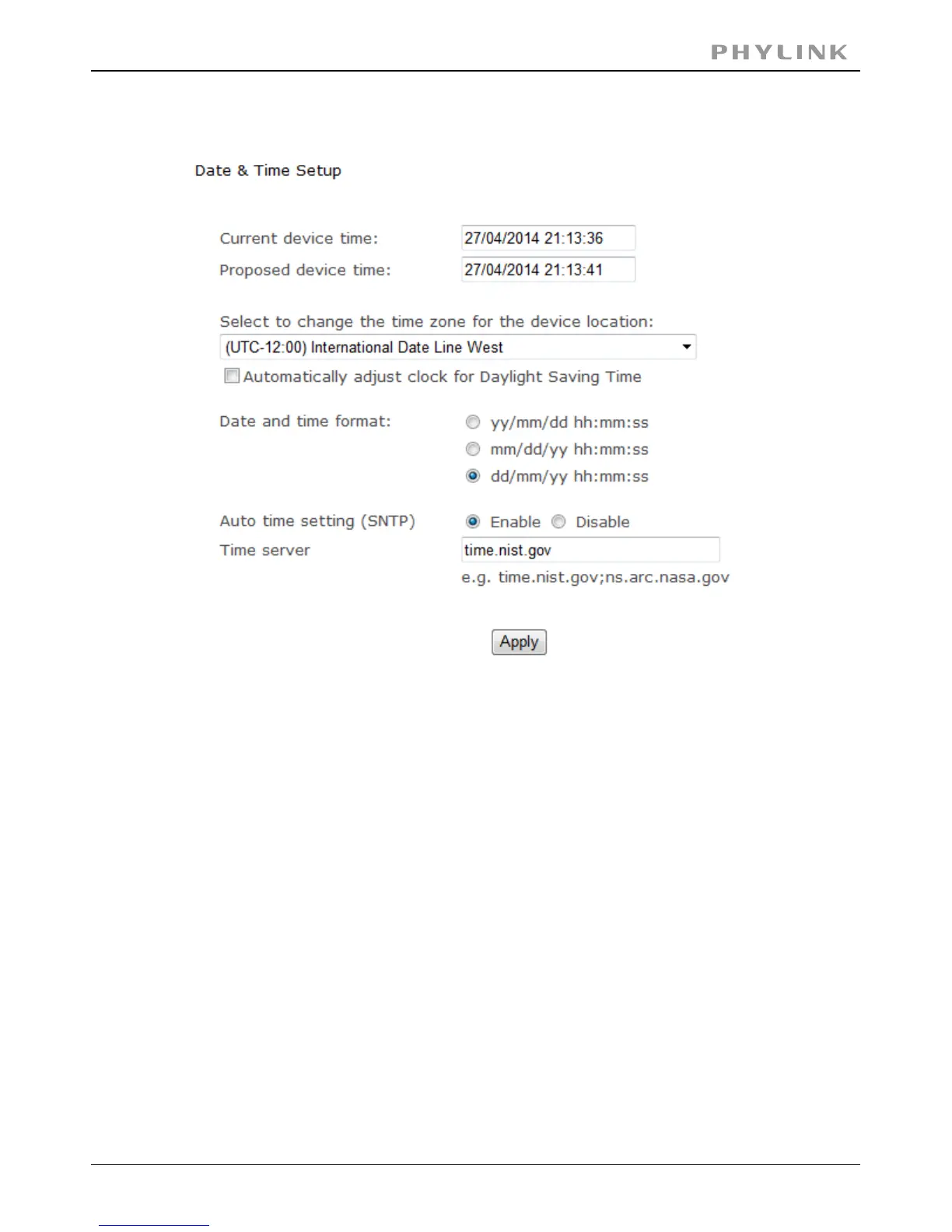
3.6.3 Date & Time
[Current device time] Internal time for camera.
PC system time. On clicking Apply the internal time of the[Proposed device time]
camera will be changed to this time.
choose proper time zone.[Select to change the time zone for the device location]
Daylight Saving Time (or summertime as it is called in many[Daylight saving time]
countries) is a way of getting more light out of the day by advancing clocks by one
hour during the summer.
Select date and time format.[Date and time format]
Enable or disable this function.[Auto time setting(SNTP)]
Type one SNTP server name in the box.[Time server]
Click Apply to confirm your settings.
PHYLINK Covert Network Camera User Manual



 To Next Page