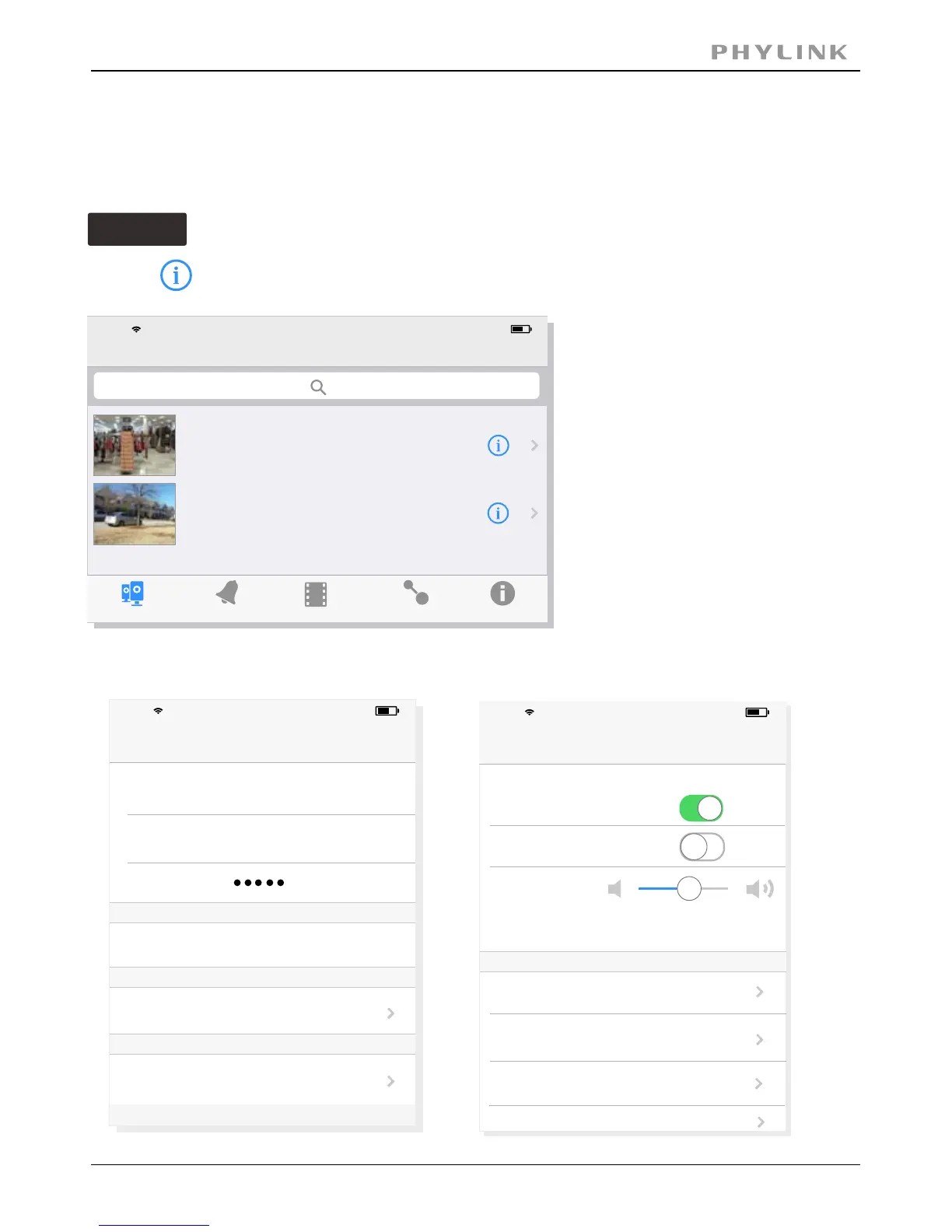
2.2.2 Wireless Setup on iOS device
There are two ways to setup wireless connection on iOS device.
Option 1
Quick setup with smart phone
PHYLINK Covert Network Camera User Manual
Go to > .Advanced Setting Network Setup
Event
Playback
Add Camera
Info
Camera
Camera List
17:50
63%
VNW5V15K6RY7J4VWC7W1
Edit
Connected
Camera
V5G5SX5U2TE71JBWC7W1
Connected
Camera
iPhone
Edit Camera
17:50
63%
Back
Name
Camera
Account
admin
Password
Reconnect
Connected
Security Code
Advanced Setting
Advanced Setting
17:50
63%
Back
Motion Detection
Video Quality
Alarm Recording
Microphone
Speaker
Not available
Network Setup
Alarm Actions
Login Account
iPhone
iPhone
Press on from the and go to the .Camera List Edit Camera



 To Next Page