PHYLINK Covert Network Camera User Manual
2.1.2 Main Unit Installation
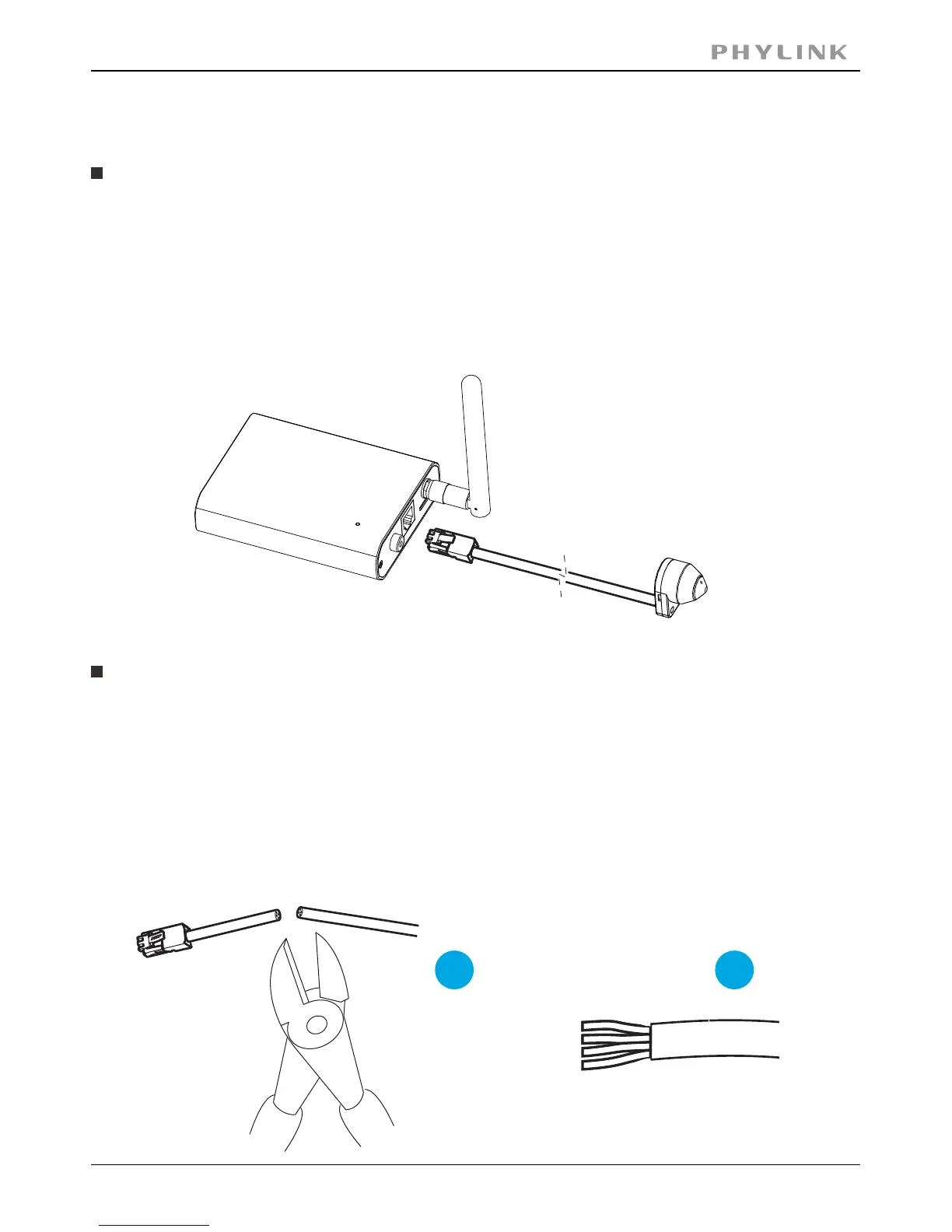
The Sensor Unit and Main Unit are connected by an 8 meter cable, providing flexibility
to place the Sensor Unit in one place and the Main Unit elsewhere.
Insert the RJ11 Plug into the RJ11 Jack on Main Unit.
If required, the cable can be shortened. The sensor unit is delivered with a
8 meter (26 ft) RJ11 cable.
To shorten the cable follow these steps:
2. Strip the plastic outer coating from the end of the cable.
1. Cut the cable to the desired length. Measure from the sensor unit.
1
2
IMPORTANT!
The RJ11 Plug must be insert into RJ11 Jack before the Main Unit is powered on.
Shorten Sensor Unit Cable
Connect the sensor unit to the main unit



 To Next Page