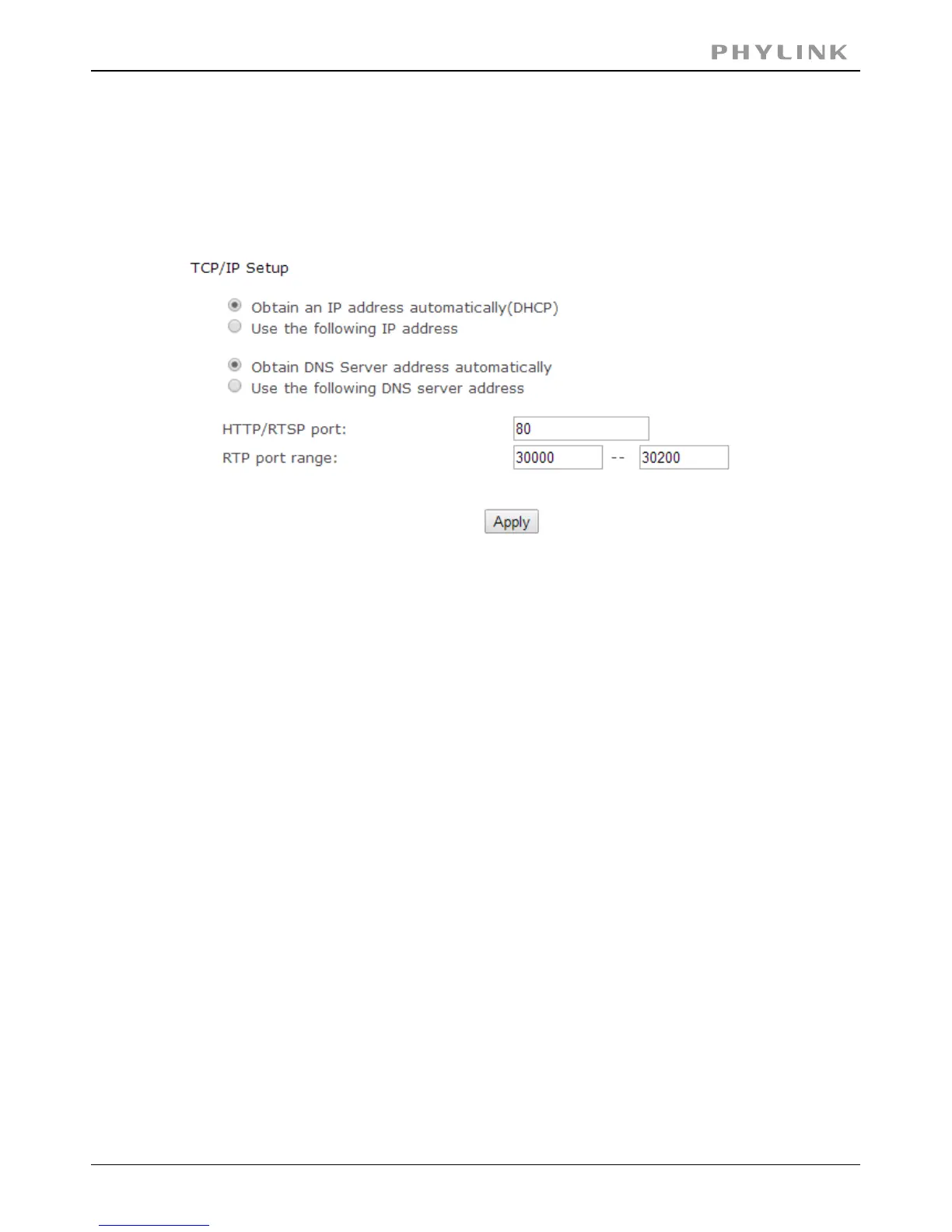
3.3.2 TCP/IP Setup
The camera is set up to obtain the IP address automatically (DHCP) by default.
Should you may wish to assign the IP address manually, use the page toTCP/IP Setup
enter the address details.
Obtain an IP address automatically(DHCP):
If your network supports a DHCP server (e.g. router) select this option to have the IP
address is assigned automatically.
If you select you should select Obtain a DNSObtain an IP address automatically
Server address automatically.
Use the following IP address
Select this option when a fixed IP is required.
Type the IP address of your camera.[IP address]
Type the subnet mask.[Subnet mask]
Type the default gateway.[Default gateway]
Obtain DNS Server address automatically
If your network supports a DHCP server (e.g. router) select this option to have the
DNS Server address is assigned automatically.
Use the following DNS server address:
Type the IP address of the primary DNS server.[Primary DNS IP address]
Type the IP address of the secondary DNS server,[Secondary DNS IP address]
if necessary.
The default HTTP port number is 80, it is also be used as RTSP port.[HTTP/RTSP port]
It is for UPnP port forwarding, 1 camera actually use 2 RTP ports,[RTP port range]
one for video, the other for audio. (See UPnP setup)
Select Basic Authentication or Digest Access[HTTP/RTSP Authentication method]
Authentication.
PHYLINK Covert Network Camera User Manual



 To Next Page