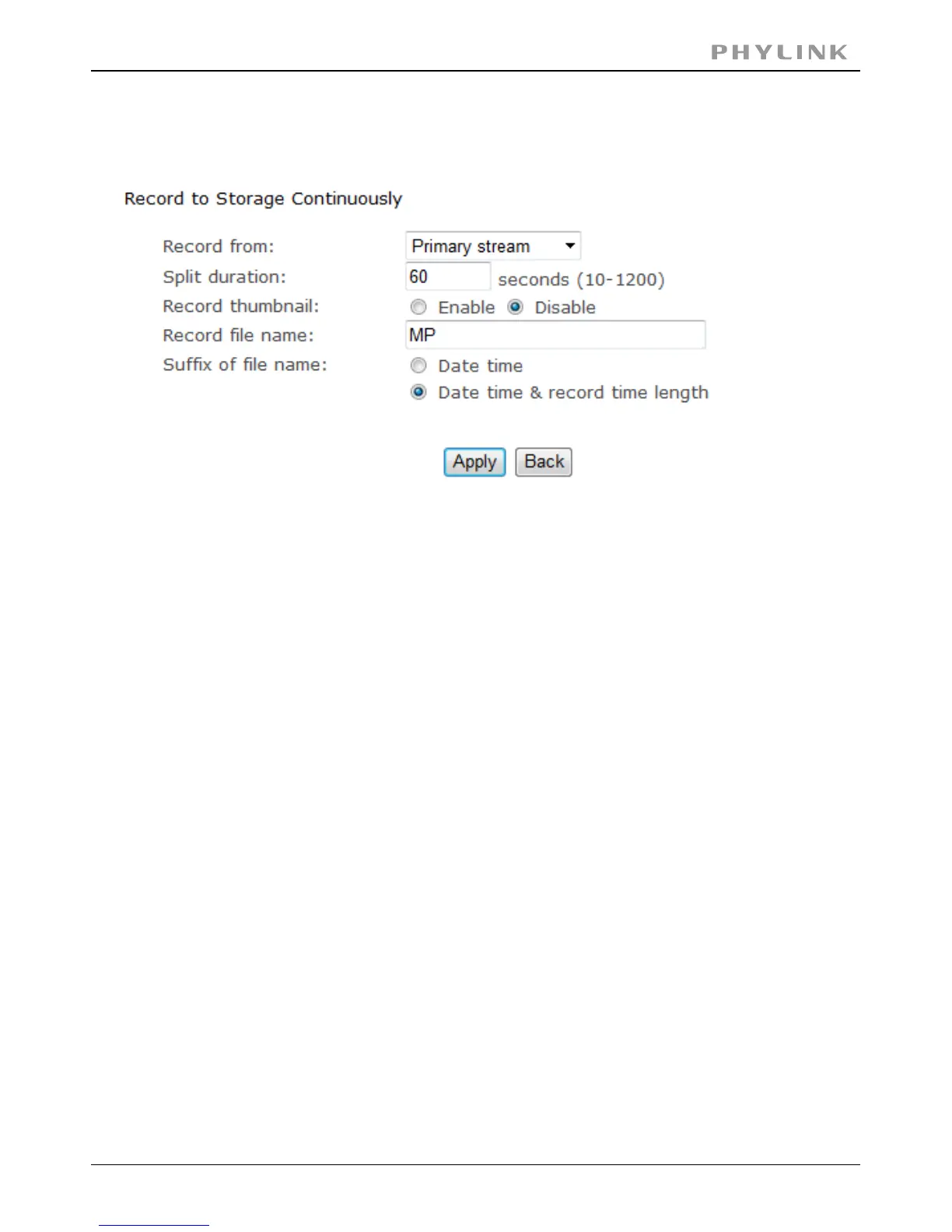
3.5.3.10 Record to storage continuously
With the larger Micro SD cards it is practical to use the camera as a continuously
recording DVR (Digital Video Recorder) with the right settings.
A 2 GB Micro SD card has about 1872 usable megabytes of storage space after
formatting. At the very highest settings of video quality with the highest picture size,
this is only about 2 hours’worth of storage.
However, if you setup the“secondary stream”in the camera’s“stream setup”menu
with 320 x 240 resolution, a frame rate of 10 fps, and bit rate of 120K, this will be
reduced to about 12Megabytes per 10 minutes clip or 75 Megabytes per hour, which
allows 24 hours of total recording time.Then with 32 GB Micro SD card this can be
extended to approximately 16 days. Or you can increase video quality via increasing
bit rate, which improves image sharpness and makes motion appear smoother.
[Record from] Select Primary stream.
Input the split duration time.[Split duration]
( The videos will be split.)
Select Enable or Disable.[Record thumbnail]
Click to confirm your setting.Apply
PHYLINK Covert Network Camera User Manual



 To Next Page