14 SETTINGS
User’s Manual Planmeca ProOne 93
Take an exposure. Press and hold down the exposure
button for the duration of the exposure.
Radiation is generated when the exposure button is
pressed. Protect yourself from radiation.
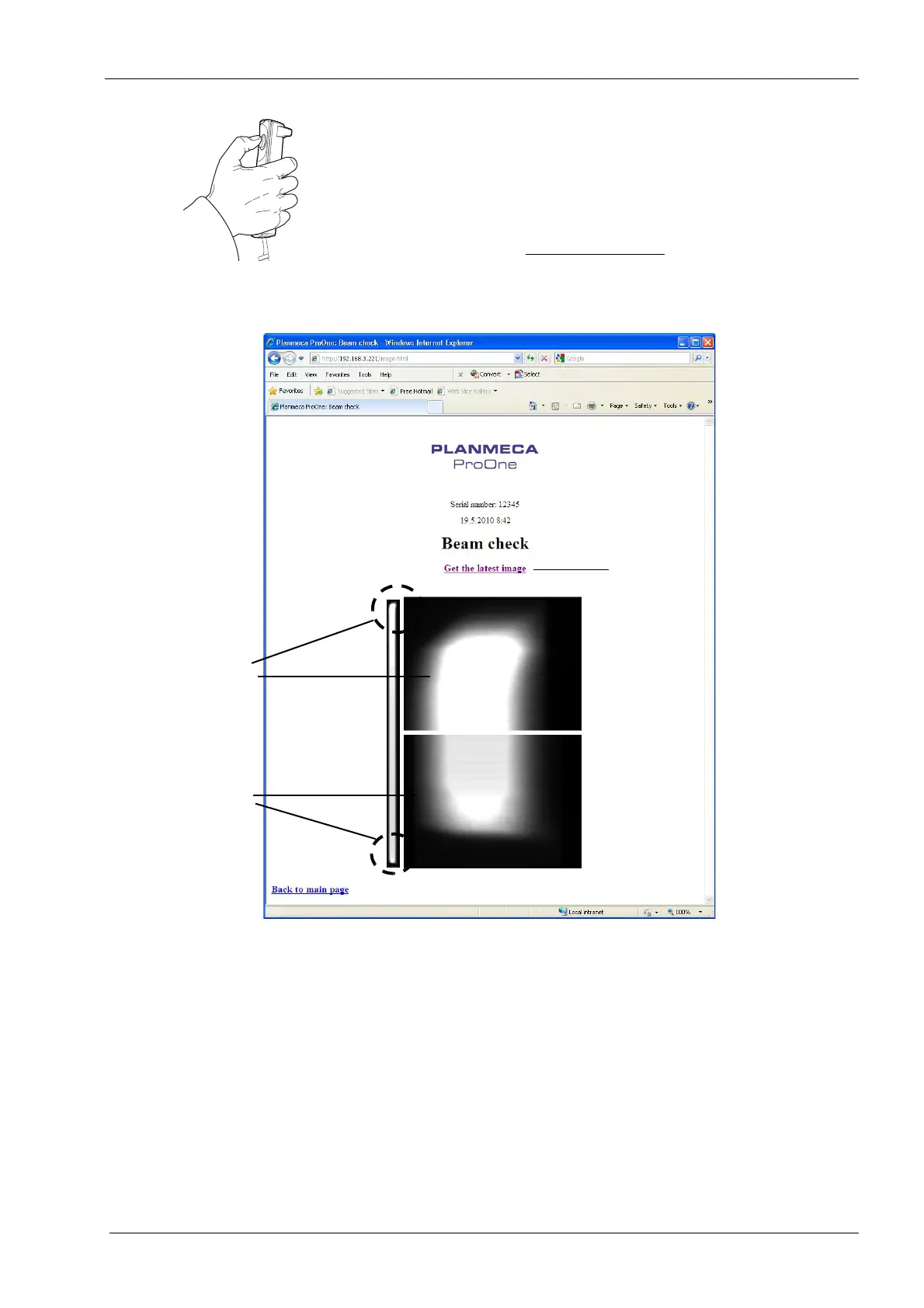
Click the
Get the latest image
link on the screen to view
the beam check image.
The beam check image for adult collimation will be shown
on the web browser screen.
The radiation beam (white area in the image) must be
positioned inside the active area of the sensor (black area
in the image), i.e. the white radiation beam must be
surrounded by black borders on all four sides. In an ideal
case the white radiation beam is positioned exactly in the
middle of the black area (both vertically and horizontally).
If any part of the radiation beam extends outside the active
sensor area, the X-ray beam must be readjusted and the
sensor must be recalibrated by a qualified service
technician. Contact your service technician for help.
Detailed view
Detailed view
Click here to view image
of the top end of the image
of the bottom end
of the image














 To Next Page