INSTALLING THE PYLON AND ARMS
86 Planmeca Sovereign
Installation manual
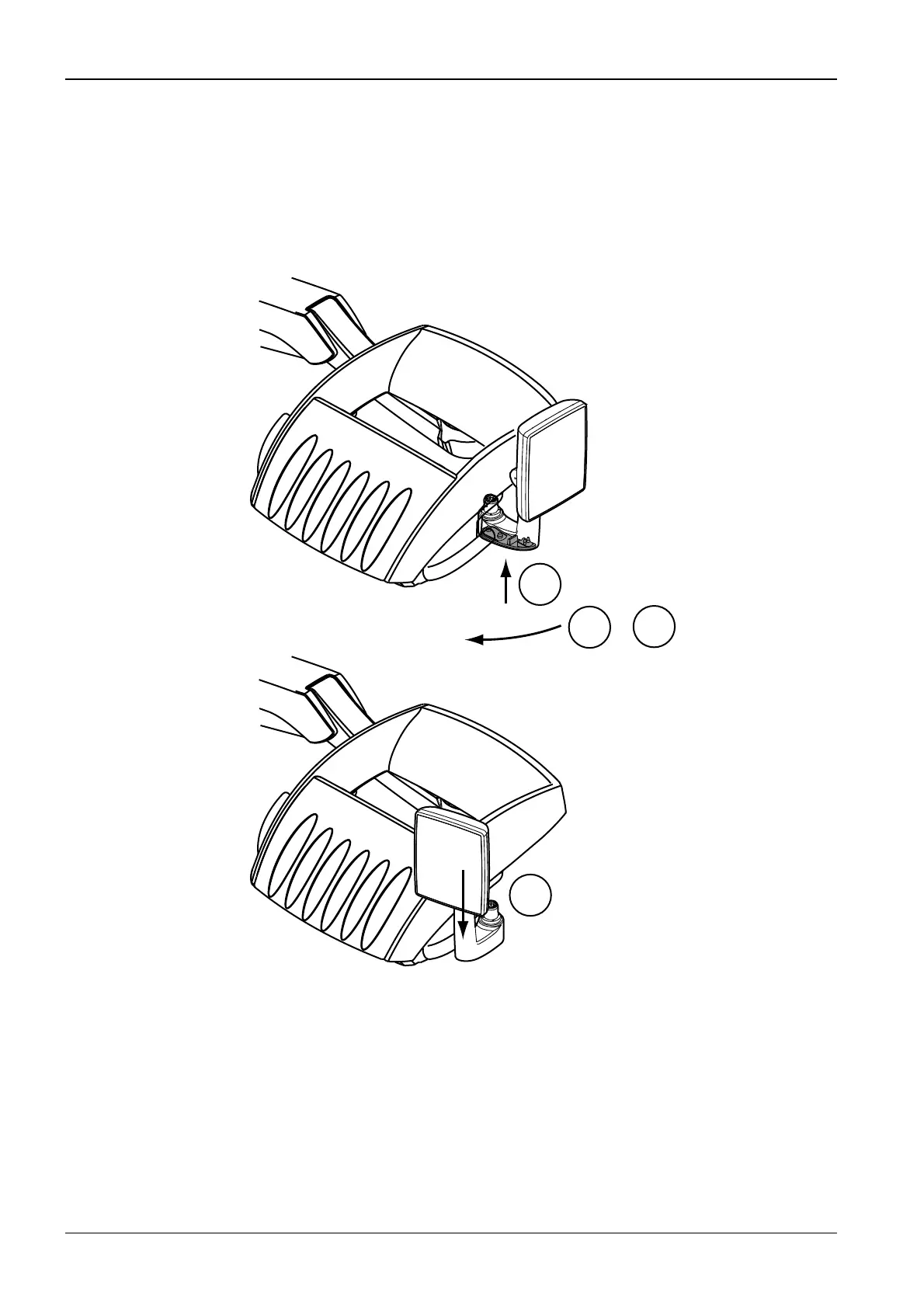
Detaching the GUI from the instrument console
To make the detachment easier turn the GUI screen outwards (see figure below).
Press the locking button located underside the GUI arm (1) and turn the GUI arm approx.
approx. 30° clockwise (right side) (2) or counterclockwise (left side).
Detach the GUI by pulling the arm out from the instrument console (3).
1
1
2
&
S65.eps
3












 To Next Page