Planmeca Sovereign 93
INSTALLING THE PYLON AND ARM ACCESSORIES
Installation manual
9.3 Installing the monitor to the pylon
NOTE This section applies to both Planmeca white (HFN17F) and Planmeca Vision monitors.
Any installation methods differentiating from each other are specified in text.
NOTE The PC connected to the monitor must be:
- IEC-approved (CE marked)
- located outside the patient area and
- protectively earthed.
CAUTION Do not connect items which are not specified as part of the system.
NOTE Be careful not to scratch the screen.
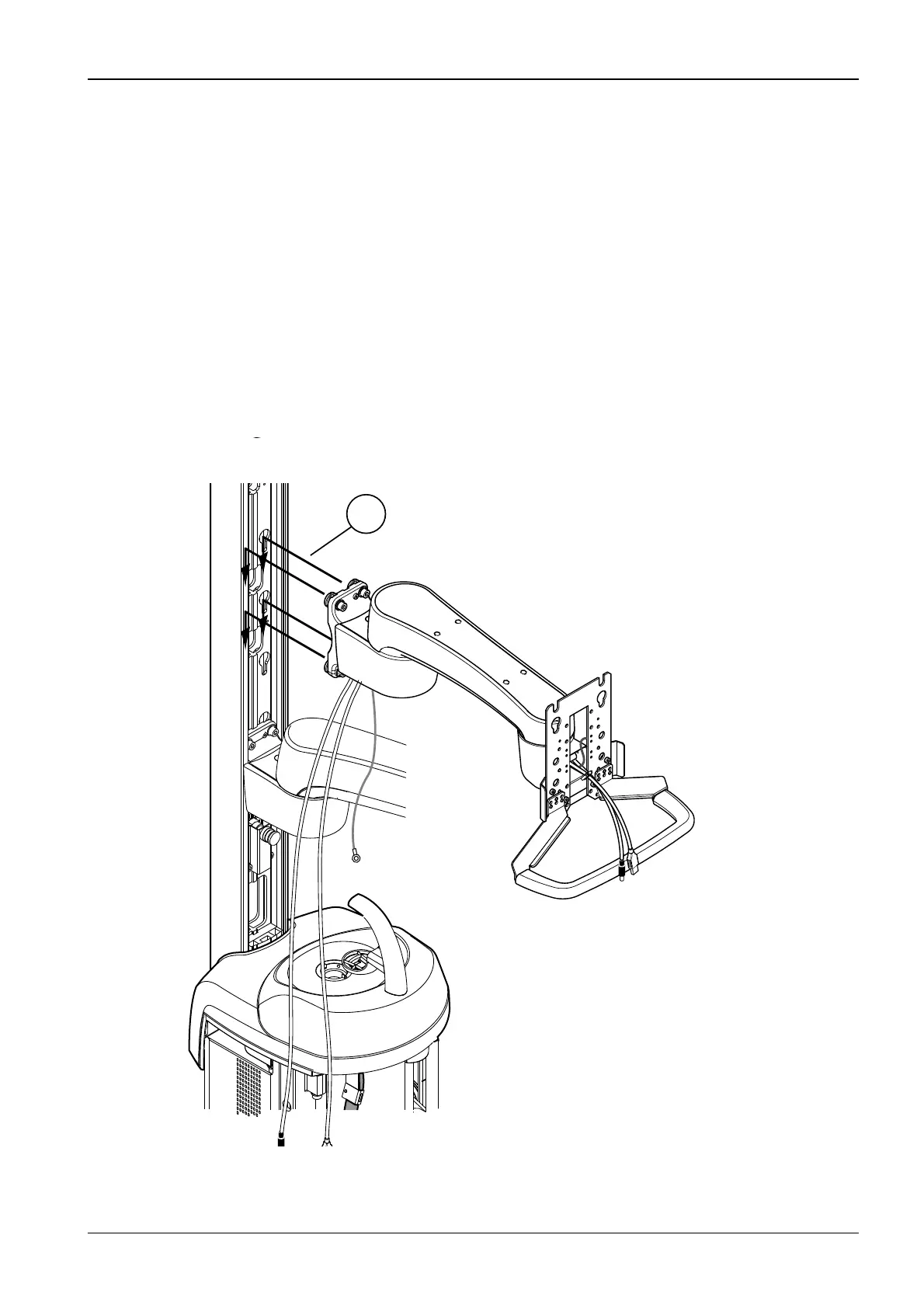
Installing the monitor arm
NOTE Install the monitor arm before installing the operating light.
Lift the monitor arm to its position. The arm attachment screws must go into the openings on
the pylon as shown on the figure below (1). Make sure that the attachment screws are
loosened so that the they go into the openings on the pylon.
S29_5_2.eps
1












 To Next Page