Planmeca Sovereign 85
INSTALLING THE PYLON AND ARMS
Installation manual
8.7 Attaching/detaching the graphic user interface (GUI)
The graphic user interface can be attached to either side of the instrument console or to the
patient chair.
Attaching the GUI to the right side of the instrument console
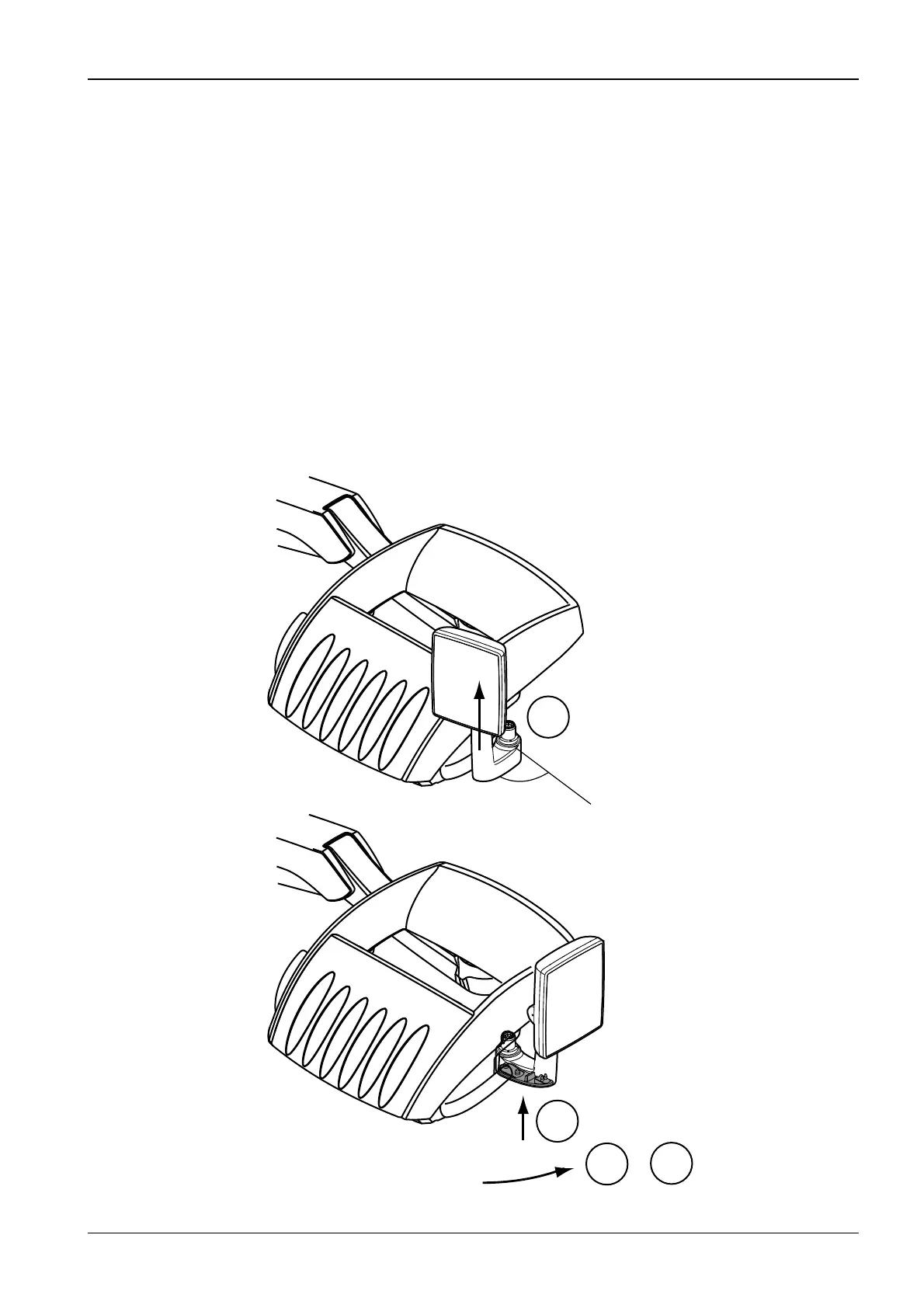
To make the attachment easier turn the GUI screen away from the GUI arm.
Push the GUI arm into the attachment opening in position where the GUI arm is rotated
approx. 30° forwards as shown on the figure below (1). Attach the GUI to the console by
rotating the GUI arm counterclockwise until you hear a click sound (2 & 3).
Attaching the GUI to the left side of the instrument console
To make the attachment easier turn the GUI screen away from the GUI arm.
Push the GUI arm into the attachment opening in position where the GUI arm is rotated
approx. 30° forwards as shown on the figure below. Attach the GUI to the console by rotating
the GUI arm clockwise until you hear a click sound.
3
2
3
&
S66.eps
1
30°












 To Next Page