TR-3-12
4 August 2009
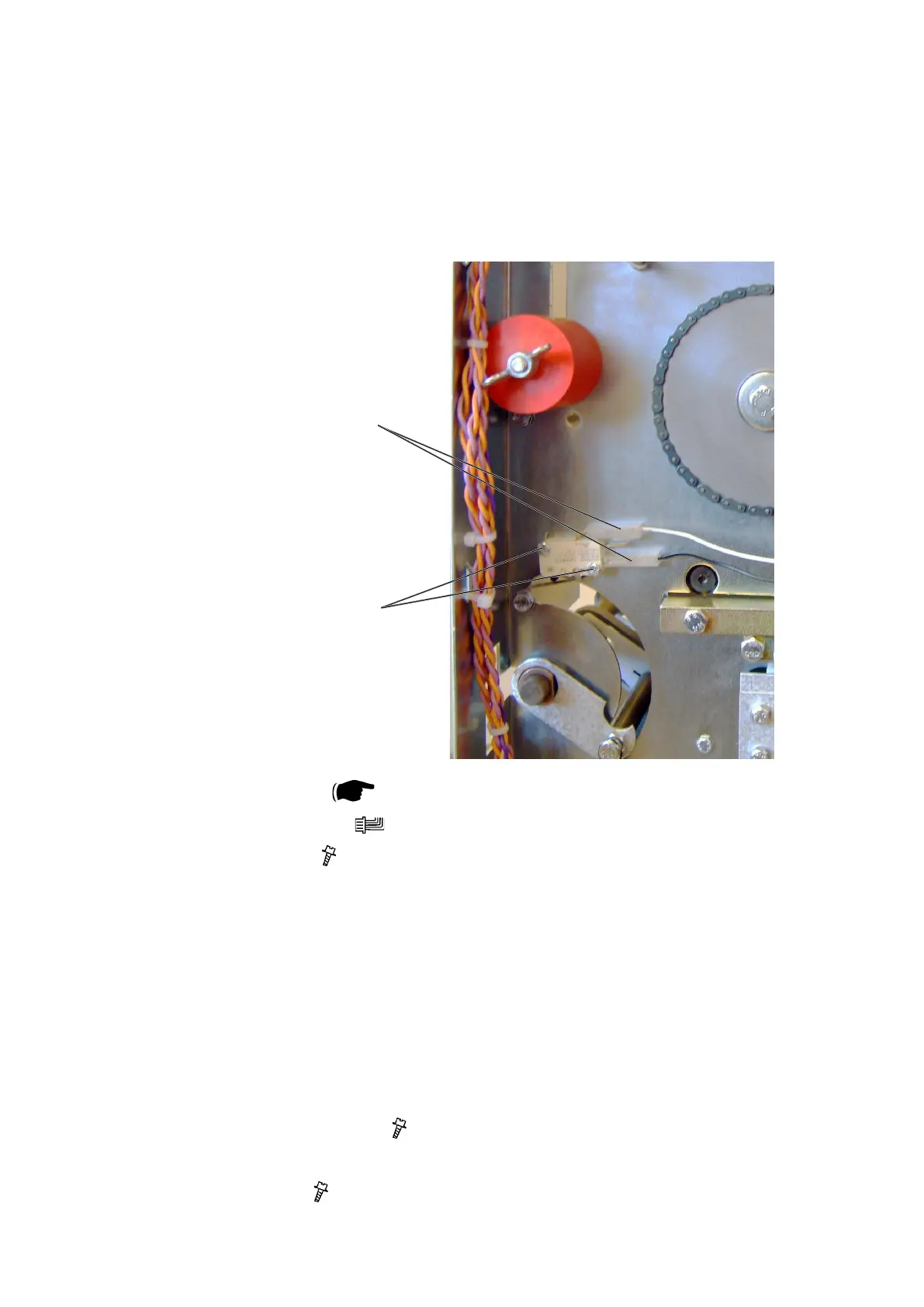
3.2.2 CONTROL SWITCH S2
AREA C
Removal
1. Remove Rear cover (
3.1.1).
2. Remove connectors [A] (
x2).
3. Remove screws [B] ( x2 ).
Replacement
1. Reverse the removal procedure.
Adjustment
1. Lift the Infeed shaft.
2. Make sure the Switch activates slightly before the shaft latches in upper posi
-
tion.
3. To adjust, loosen screws [B] ( x2 ).
4. Reposition switch to obtain adjustment.
5. Tighten screws [B] (
x2 ).
[A]
[B]



 To Next Page