TR-3-28
4 August 2009
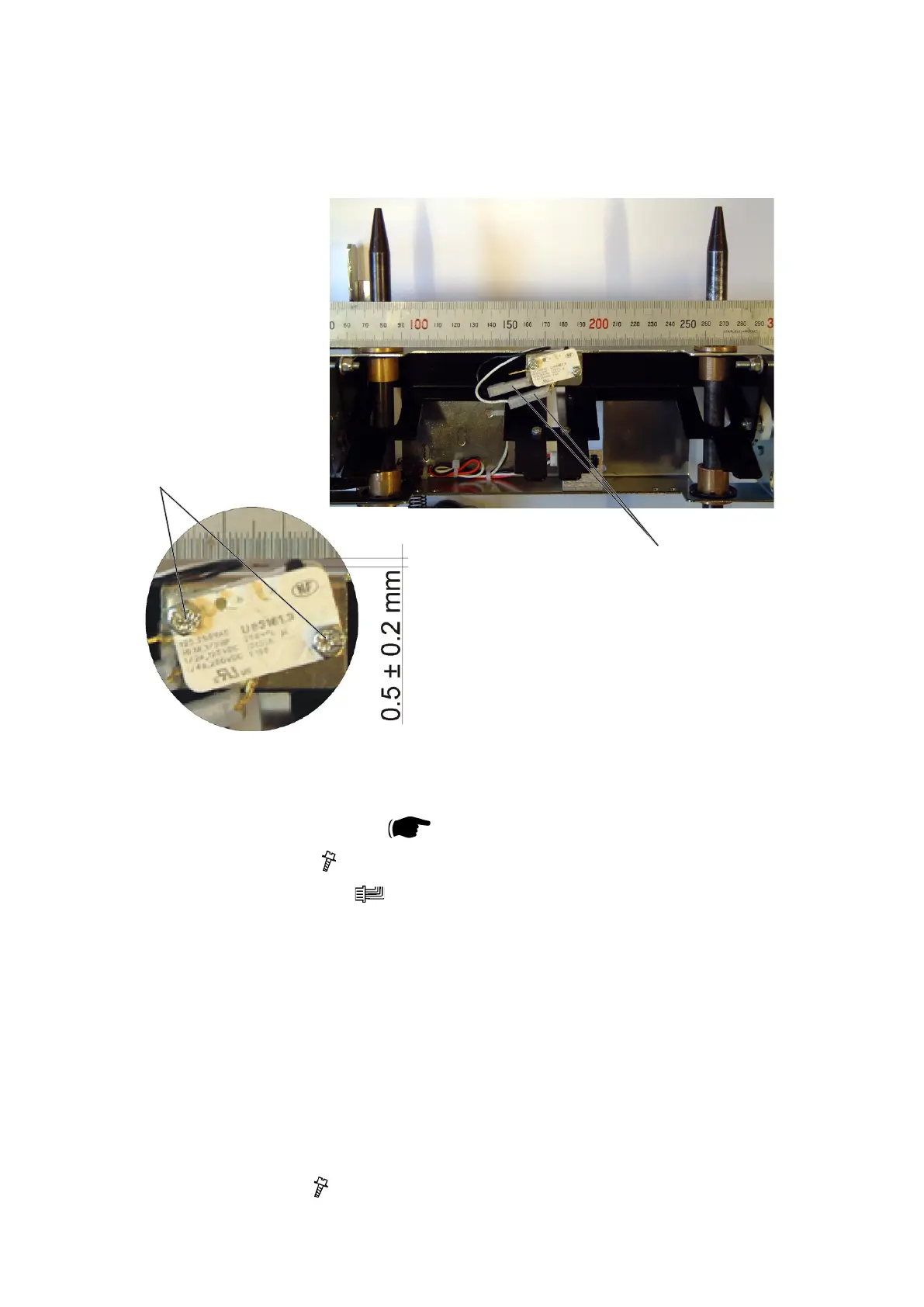
3.2.13 LENGTH ADJUSTMENT HOME POSITION SWITCH S11
AREA C
Removal
1. Remove Stop gate carriage (
3.2.10).
2. Remove screws [B] ( x2).
3. Remove connectors [A] (
x2).
Replacement
1. Reverse the removal procedure.
Adjustment
1. Placearuleracrossthesliderodsandupagainsttheangebushings
[Picture 1].
2. Position the switch so it is activated by the ruler and
so there is a 0.5 mm ± 0.2 mm gap between switch body and ruler [Picture 2].
3. Tighten screws [B] ( x2).
[A]
[B]
[Picture 1]
[Picture 2]



 To Next Page