Replacement
Adjustment
4 August 2009
TR-3-15
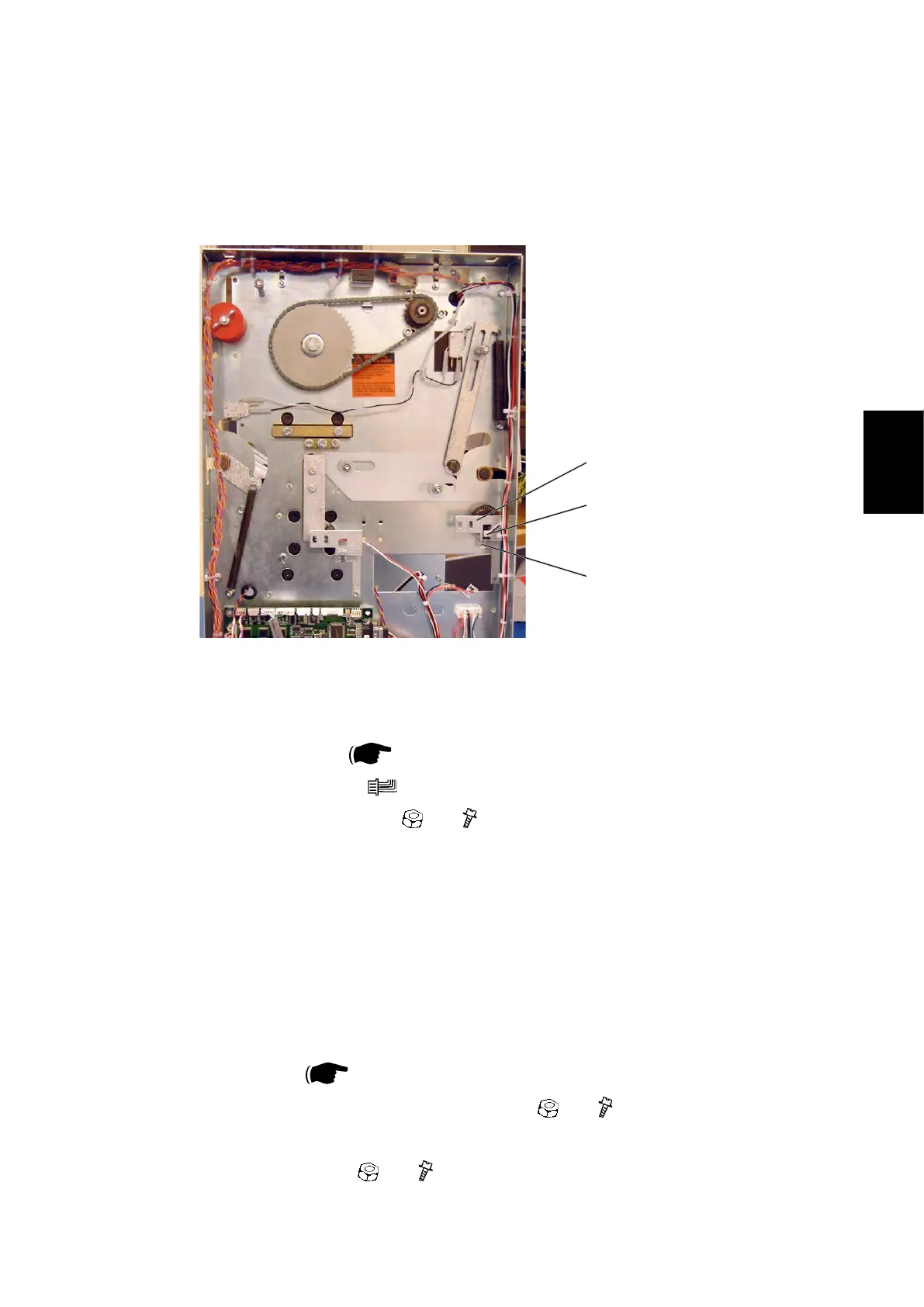
3.2.5 TRANSPORT BELT SENSOR Q4
AREA C
[A]
[B]
Removal
1. Remove Rear cover (
3.1.1).
2. Remove connector [A] (
x1).
3. Remove nut and screw [B] ( x1, x1).
4. Remove bracket [C].
5. Squeeze the barbs of the sensor to remove.
Replacement
1. Reverse the removal procedure
NOTE: When tightening nut/screw make sure there is a space between en-
coder disc and sensor.
2. Enter service program mode and start the belts (motor M1). Check speed (m/
s) is registered ( Service Manual BK5010e: 5.1.1, 5.1.2).
3. If no, or erratic speed, loosen screw/nut [B] ( x1, x1).
4. Reposition sensor to obtain correct speed registration.
5. Tighten screw/nut [B] (
x1, x1).
[C]



 To Next Page