Replacement
Adjustment
4 August 2009
TR-3-17
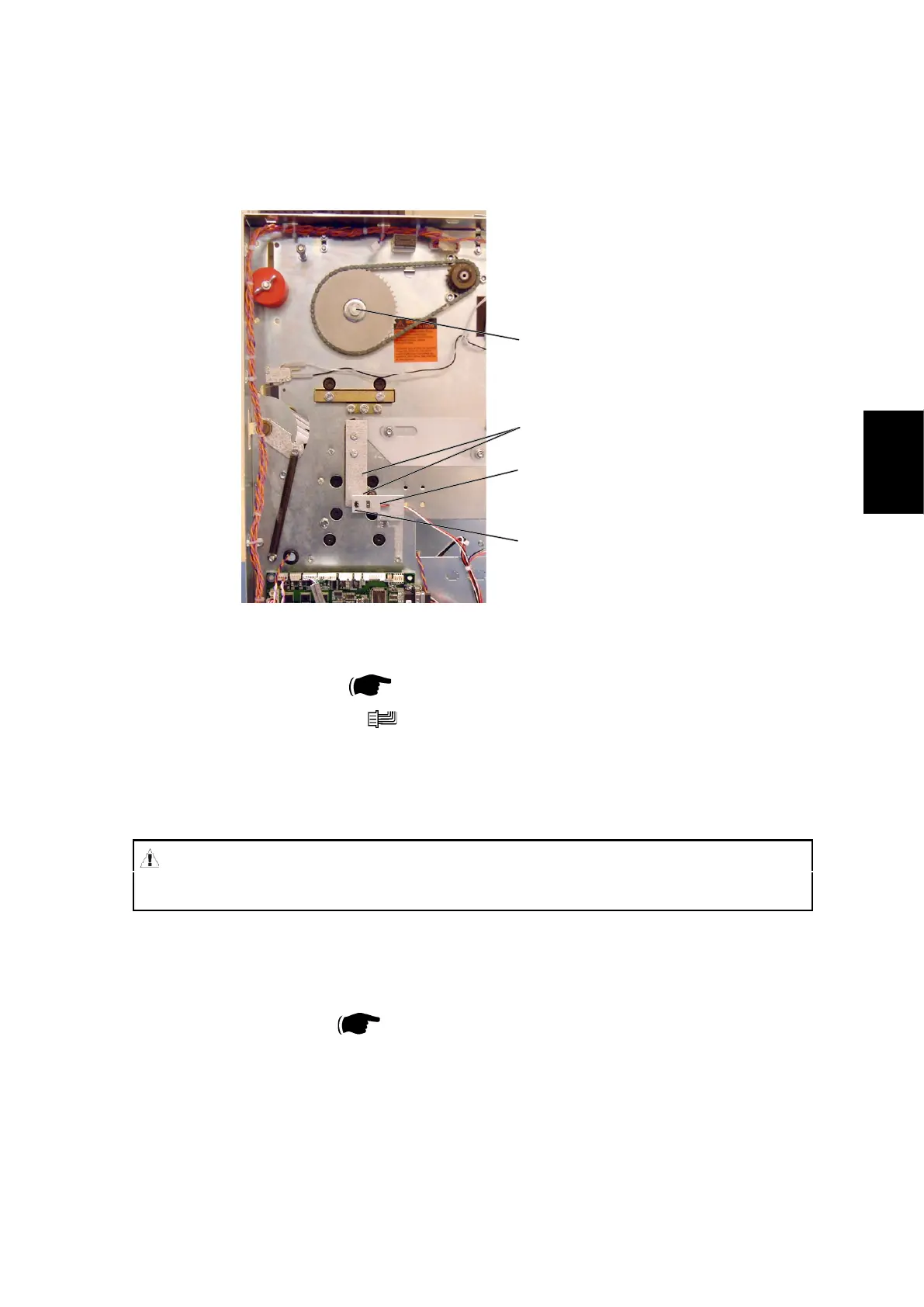
3.2.7 TRIM KNIFE HOME POSTITON SENSOR Q5
AREA C
[A]
[B]
Removal
1. Remove Rear cover (
3.1.1).
2. Remove connector [A] (
x1).
3. Squeze the barbs of the sensor to remove.
NOTE: Gently pull bracket [B] to remove.
[C]
[D]
Replacement
1. Reverse the removal procedure.
2. Enter service program mode to check that sensor Q5 changes state when
blocked/unblocked ( Service Manual BK5010e: 5.1.1, 5.1.2).
NOTE: Do not cheat the interlock.
3. Move the Upper knife by turning crank [C] using a 13 mm wrench.
4. Check on the LCD that sensor Q5 changes state when blocked/unblocked by
actuators [D].
WARNING
Stay clear from upper knife. The knife edge may cause serious injuries.



 To Next Page