TR-3-30
4 August 2009
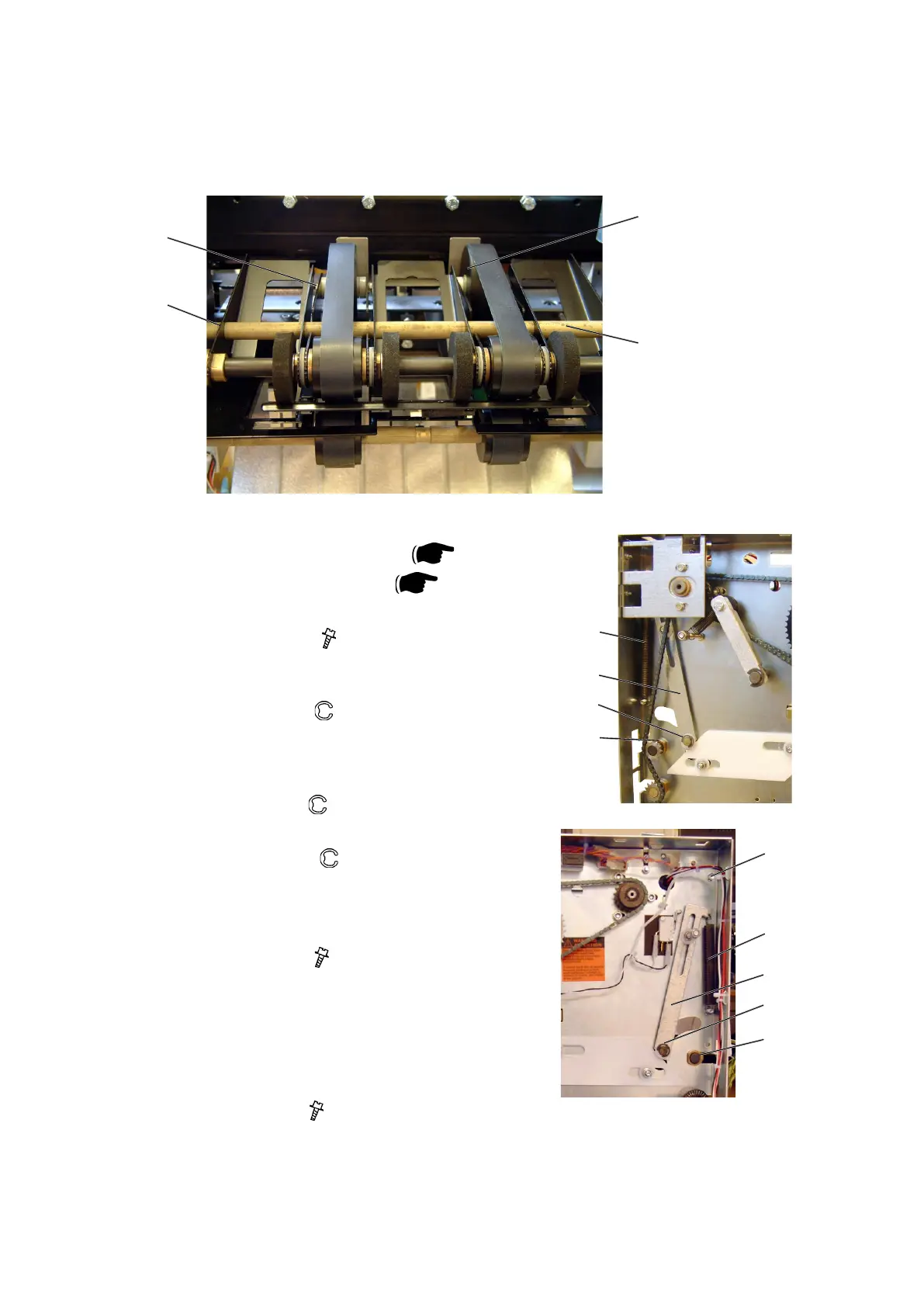
3.2.15 UPPER OUTFEED BELTS
AREA C
Removal
1. Remove Belt stacker.
2. Remove Front and Rear cover (
3.1.1).
3. Remove Transmission chain (
3.2.17).
4. Unhook springs [A] (x2).
5. Remove screws [B] (
x6).
NOTE: Leave the screw at the top on each side
for the outfeed cover to pivot around.
6. Remove e-clip [C] (
x2).
Remove nylon washer [C] (x2).
Unhook link arm [D] (x2).
Remove needle bearing [C] (x2).
7. Remove e-clip [E] (
x2).
8. Pull out shaft [F].
9. Remove e-clips [G] (
x2) inside frames.
10. Slide Flange bushings [G] towards the center of
the shaft and pull out the whole assembly th-
rough the outfeed.
11. Loosen screws [H] (
x4) and remove belts.
Adjustment
1. The belts should be adjusted so they have no
slack and even tension.
2. Pull runner pulleys [I] to obtain adjustment and
tighten screws [H] ( x4).
Replacement
1. Reverse the removal procedure.
[E]
[H]
[I]
[F]
[A]
[D]
[C]
[G]
[A]
[D]
[C]
[G]
[B]



 To Next Page