Replacement
Adjustment
4 August 2009
TR-3-25
3.2.10 STOP GATE CARRIAGE
AREA C
Removal
1. Before switching off the power,
set the Trimmer (Paper size) to A4 / 8.5x11” and Trimming to off.
2. Remove Lower outfeed cover (
3.1.8).
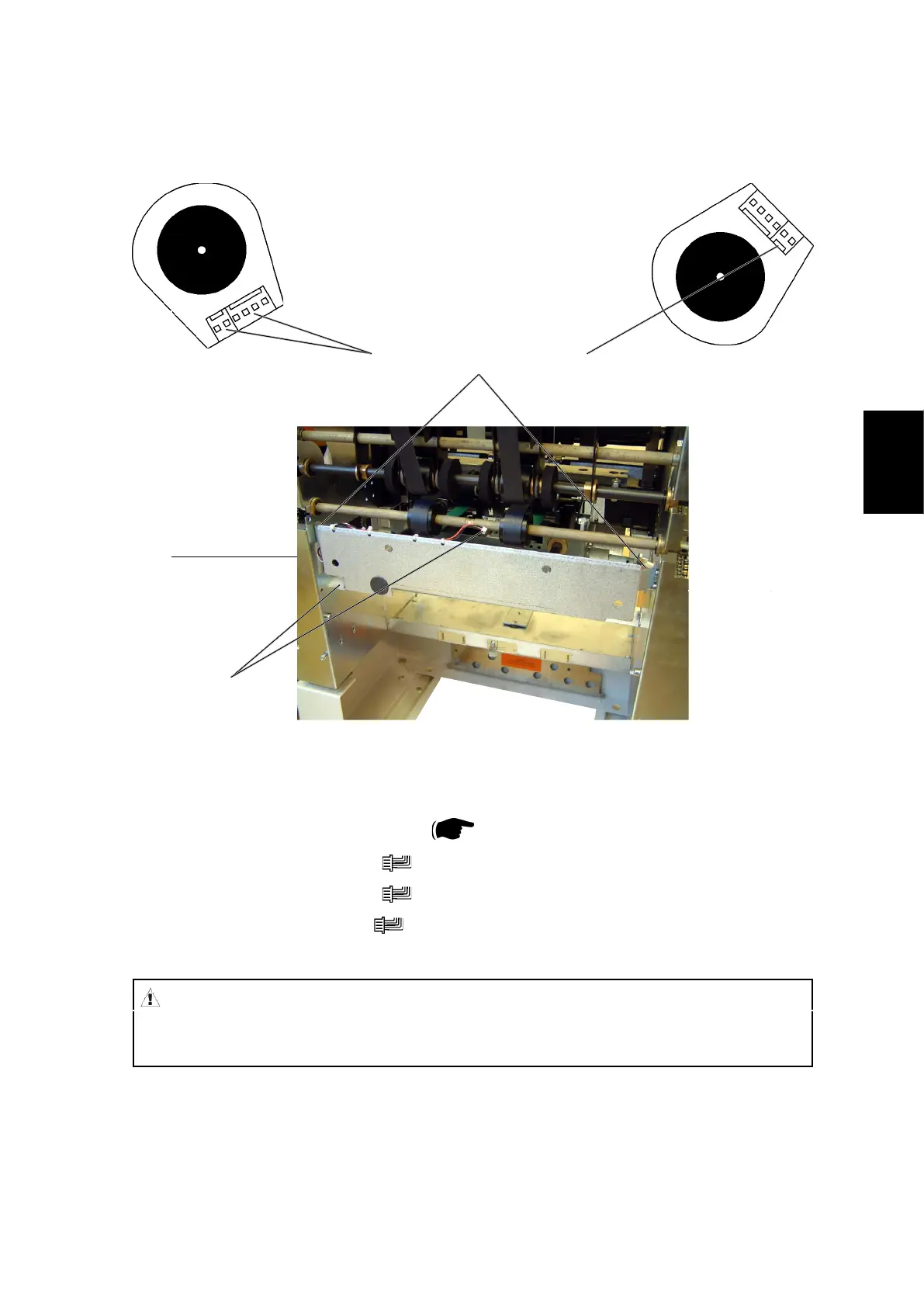
3. Remove connectors [A] (
x2).
4. Remove connectors [B] (
x2).
5. Remove connector [C] (
x1).
6. Pull out the Carriage gently.
[A]
[B]
[C]
[D]
CAUTION
When removing the Carriage, watch out so the motor connectors [B] & [C]
do not get damaged by the side frame cut-outs.
Replacement
1. When positioning the carriage in place, make sure the two sliding rods and the
gear rack enters their holes and slot.
2. Reverse the removal procedure.



 To Next Page