39
Customer Support 1-855-IMI-POGO (464-7646) • www.presspogo.com
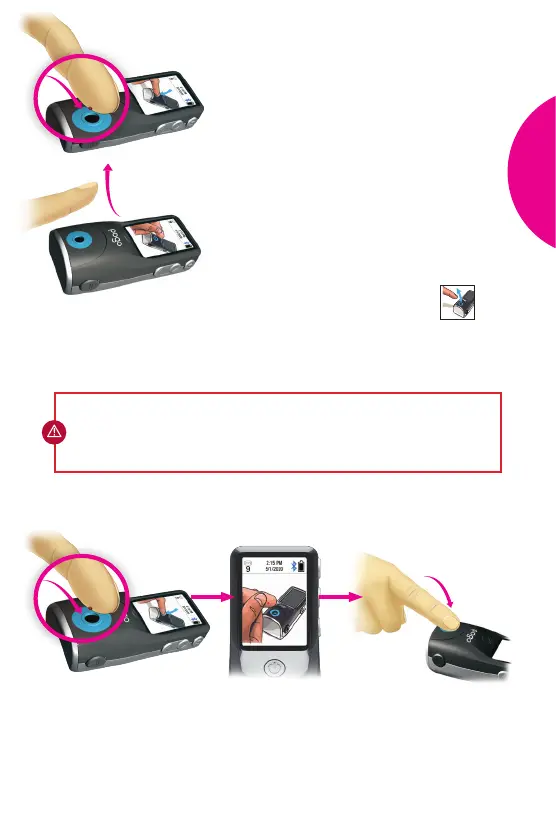
Push down through test port hole so
blood reaches test strip
Add More Blood Guidance
Keep adding blood until
enough for result
• Center blood droplet over test port hole
and PRESS
ALL
THE
WAY
DOWN into
cartridge.
• For best results, try not to smear blood
on test port or ngertip. If this occurs,
wipe nger and gently squeeze an
additional blood droplet.
• During the 90 seconds, you can remove
your nger and KEEP
ADDING
BLOOD
as long as gentle squeezing forms a
blood droplet.
• The meter will beep and display
when it has enough blood, and your
result will be displayed aer a 4-second
countdown.
IMPORTANT: Continue to add blood as many times as needed within the
90 seconds to achieve a successful test. A countdown will appear at 60
seconds as an alert that you have one minute le to complete the test.
TEST
YOUR
BLOOD



 To Next Page