Apple iPhone 11
Google Pixel 4
Samsung S10
Add Device
59
Customer Support 1-855-IMI-POGO (464-7646) • www.presspogo.com
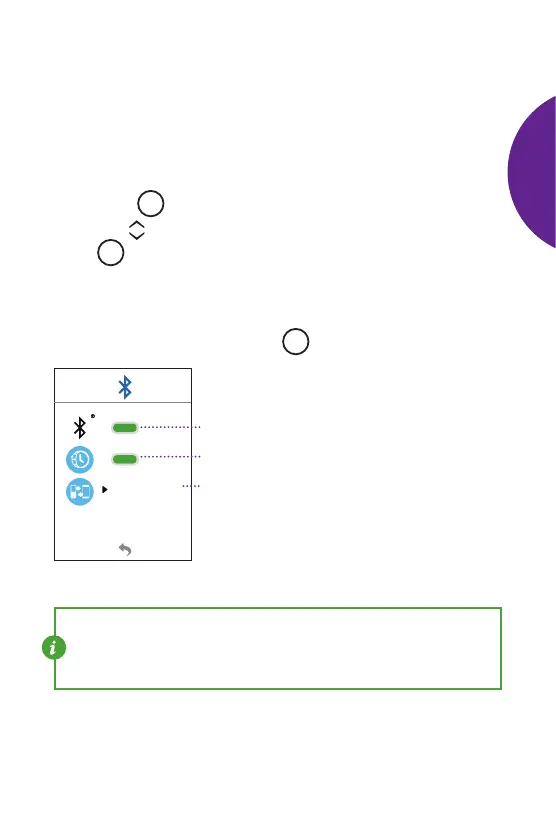
Bluetooth Settings
Select the Bluetooth Settings Menu from the Main Set-Up Menu
(see Page 54).
Bluetooth and Auto-Time
• From the Bluetooth Settings Menu, select the Bluetooth symbol.
Press the
M
button to conrm selection.
• Use the scroll buttons to turn Bluetooth ON
or OFF.
Press
the
M
button to conrm.
• The meter includes an “Auto-Time” feature which allows it to
automatically adjust to the current time when synced with your
phone. You can turn this feature ON
or OFF by following the
same steps as above. Press the
M
button to conrm.
Bluetooth
Auto-Time
Pairing/Adding or Deleting a Device
(For Pairing POGO Automatic with your phone, see Page 52)
NOTE: If Bluetooth is turned OFF, your results will not be synced
with the Patterns Application (see page 52 for more information).
In additon, the “Auto-Time” feature will not be accessible. To use, turn
Bluetooth ON.
SETTING
UP
METER



 To Next Page