Optics
Lens
66
Customer Support 1-855-IMI-POGO (464-7646) • www.presspogo.com
Thoroughly clean
meter interior
Cleaning Meter AFTER EVERY
CARTRIDGE or WEEKLY
(whichever comes rst)
It is important to thoroughly follow all
instructions. First, CLEAN your meter to
remove any debris. Use as many Clorox
Germicidal Wipes as needed to clean
ALL meter surfaces.
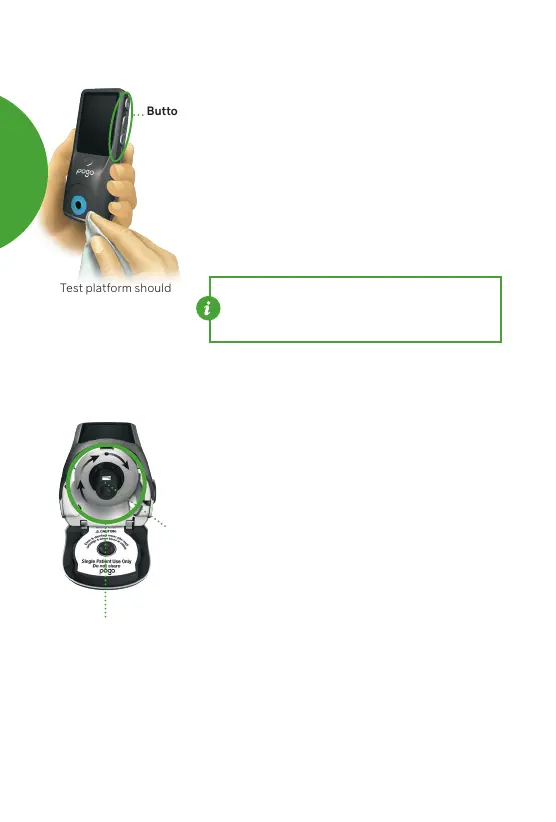
• Clean meter exterior — Wipe front, back,
sides and buttons of meter case.
• Clean meter interior — Thoroughly
wipe all interior walls and corners
inside cartridge area, and surfaces
of cartridge door.
• Clean meter parts until all visible soil
has been removed. Check battery
area to look for visible soil and clean if
necessary.
• Avoid getting dust, dirt, water or
excess liquid inside your meter or test
cartridges. Be careful to avoid getting
liquid in USB port, on batteries, or
battery contacts.
NOTE: Be sure to squeeze excess liquid from
wipes before use to prevent damage or meter
malfunction.
Buttons
Test platform should
be cleaned rst
(See page 64)
Clean ALL debris from
external meter surfaces
CARING
FOR
YOUR
POGO
AUTOMATIC



 To Next Page