2:15 PM
12h
12
24
ON
5/1/2020
m/d/yyyy
“Back” Arrow
56
Customer Support 1-855-IMI-POGO (464-7646) • www.presspogo.com
12/24-Hour
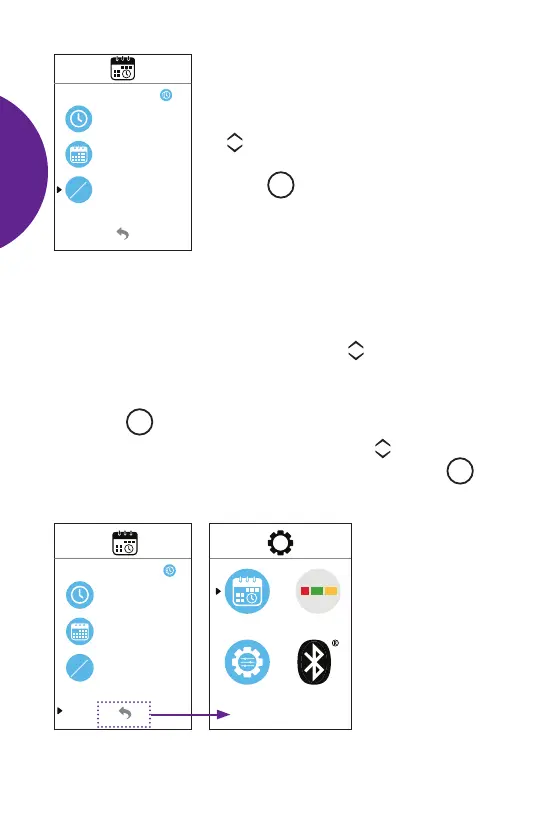
You can select 12-hour or 24-hour mode:
• In the Time/Date Settings Menu, use the
scroll buttons to move the blinking
arrow to the 12/24-Hour Setting.
Press
M
button to select.
• The 12-hour mode displays the time as
AM or PM (A or P) and the date as
month/day
• The 24-hour mode displays the date
as day/month which is referred to as
military time.
• To select which mode you prefer, use the scroll buttons.
(If 24-hour format is selected, the meter will automatically adjust
hours and change to day/month display mode.)
• Use the
M
button to conrm setting.
• To go back to the Main Set-Up Menu, use the scroll buttons
to select the “back” arrow at bottom of screen. Press the
M
button to conrm.
2:15 PM
12h
12
24
ON
5/1/2020
m/d/yyyy
SETTING
UP
METER



 To Next Page