www.poolpak.com | 800-959-772550 | MPK Series - Installation, Operation and Maintenance
SECTION V: OPERATION
CPCS Controller Operation
Remote Interface Unit (RIU) Features
The PoolPak CPCS control system includes a Remote Interface Unit (RIU) display/keypad panel that can be located
remotely from the unit for the convenience of the owner. For wiring and installation, see the CPCS Controls Field
Wiring section.
In normal operation, the display of the RIU will automatically rotate between different screens displaying the status
of the system. You can also manually browse these status screens by pressing the up or down arrows. These status
screens include information on temperature and humidity, current mode of operation, occupied mode status, current
air flow rates, and system status.
If an alarm occurs, the RIU will display alarm status screens for each alarm occurring. The system status information
is still accessible through menu navigation.
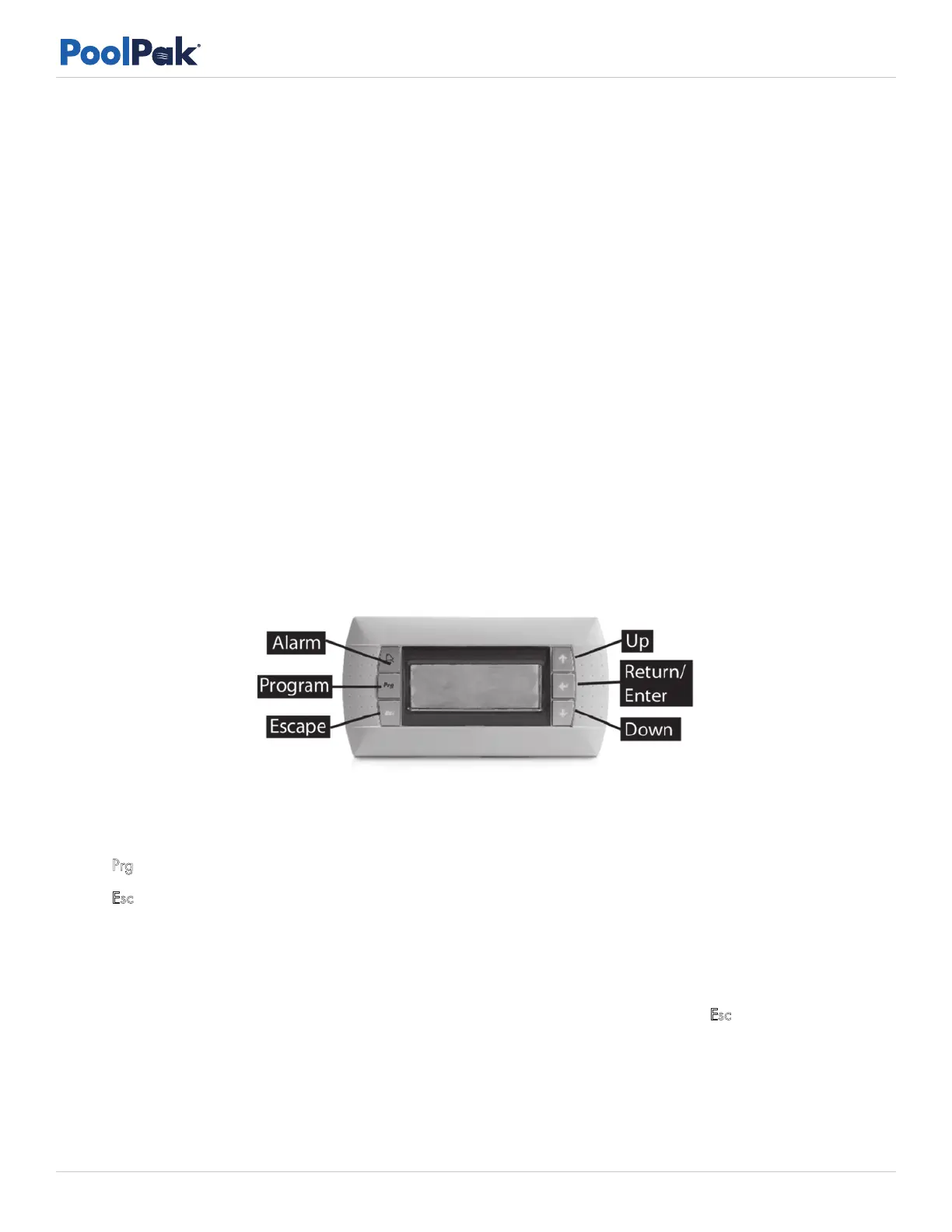
The RIU does not have any sensors; the RIU is simply a window for viewing the controller remotely. See Figure 5-1
for physical characteristics and button call outs of the RIU.
or ! (‘alarm’): When an alarm occurs, this key will turn and stay red until cleared. With an alarm active,
pressing this button gives the alarm status screens.
Prg or (‘program’): This key accesses the main menu of the CPCS Controller.
Esc or (‘escape’): Pressing this key moves the user back to the previous screen.
/ (‘up/down’): These are directional keys for navigating the controller and configuring settings.
(‘enter’): Pressing this key moves the user to the next selection on the same screen. If any selection is made,
pressing this key will save that new setting.
For Multi-Unit networking operation, while the RIU is connected to any of the units, press Esc + at the same time
to view the next unit’s display within the network.
Figure 5-1. RIU Keypad


 To Next Page