www.poolpak.com | 800-959-772558 | MPK Series - Installation, Operation and Maintenance
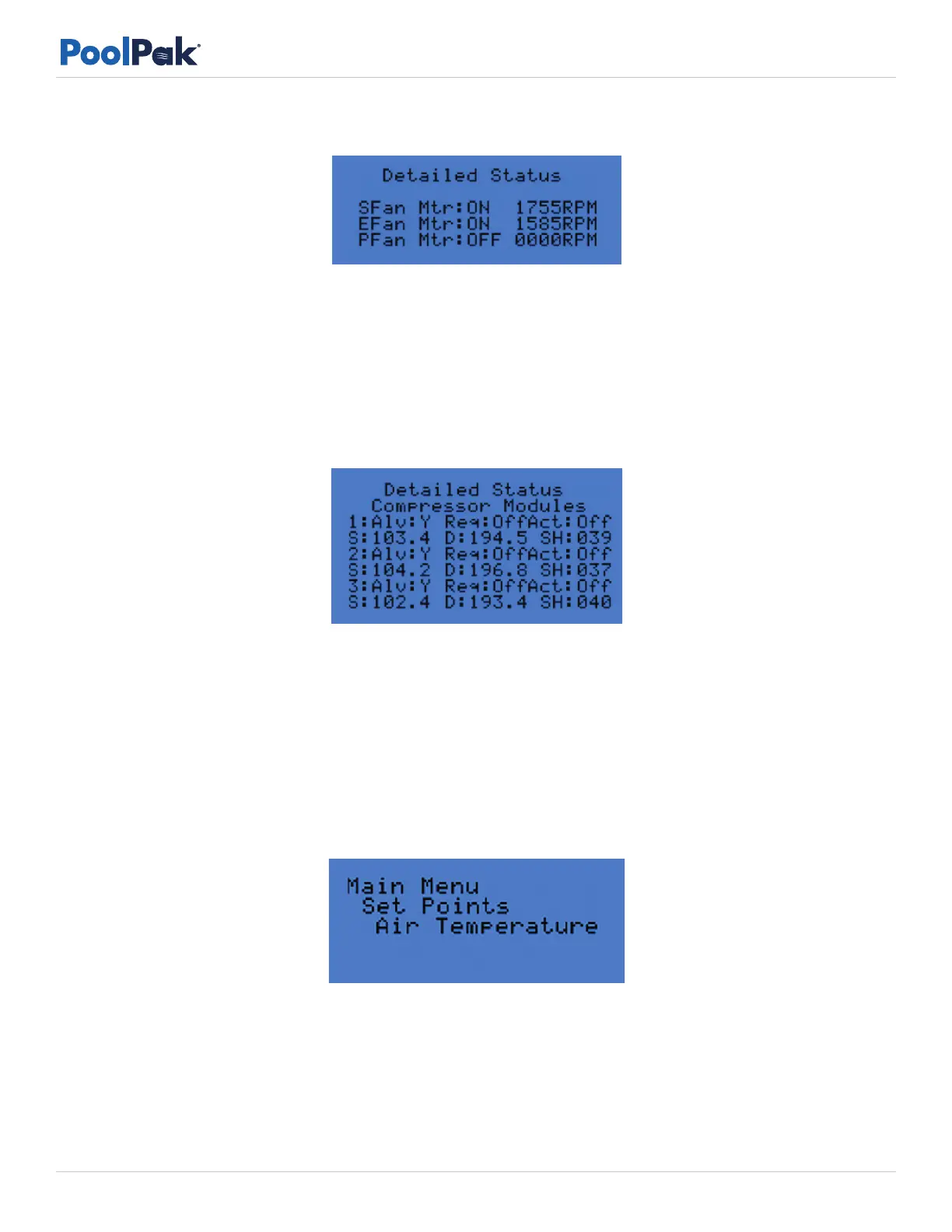
Figure 5-10. Detailed Status Screen 7: Fan Motor Status
Figure 5-11. Detailed Status Screen 9: Compressor Module Status
Figure 5-12. Set Points Air Temperature Screen
• SFan Mtr = Supply Fan Motor OFF or ON. If ON, RPM is indicated
• EFan Mtr = Exhaust Fan Motor OFF or ON. If ON, RPM is indicated
• PFan Mtr = Purge Fan Motor OFF or ON. If ON, RPM is indicated
• RemExhFan Rqd = Remote Exhaust Fan Required No or Yes
• RemExhFan Status = Off or On
• Remote kCFM Rqd = Remote Exhaust Fan Air Flow Required
• 1 = Compressor Module 1
• Alv = Available Y or N
• Req = Requested Off or On
• Act = Active Of or On
• S: = Refrigerant Suction Presssure (psi)
• D: = Refrigerant Discharge Pressure (psi)
• SH: = Refrigerant Suction Superheat (°F)
Set Point
• Under the Set Points Menu, the following set points can be accessed:
• Air Temperature: default - 84°F, range: 70-95°F
• Relative Humidity: default - 55%, range: 45-65 %
• Pool1 Temp: default - 81°F, range: 70-95°F
• Pool2 Temp (if enabled): default - 81°F, range: 70-95°F
• Min Out Air Amt = Minimum Outside Air Amount: default – 25%, range: 0-100%
• Max Out Air Amt = Maximum Outside Air Amount: default – 100%, range: 0-100%


 To Next Page