© 2017 PoolPak LLC. All rights reserved. MPK Series - Installation, Operation and Maintenance | 59
PoolPak
®
MPK Series IOM
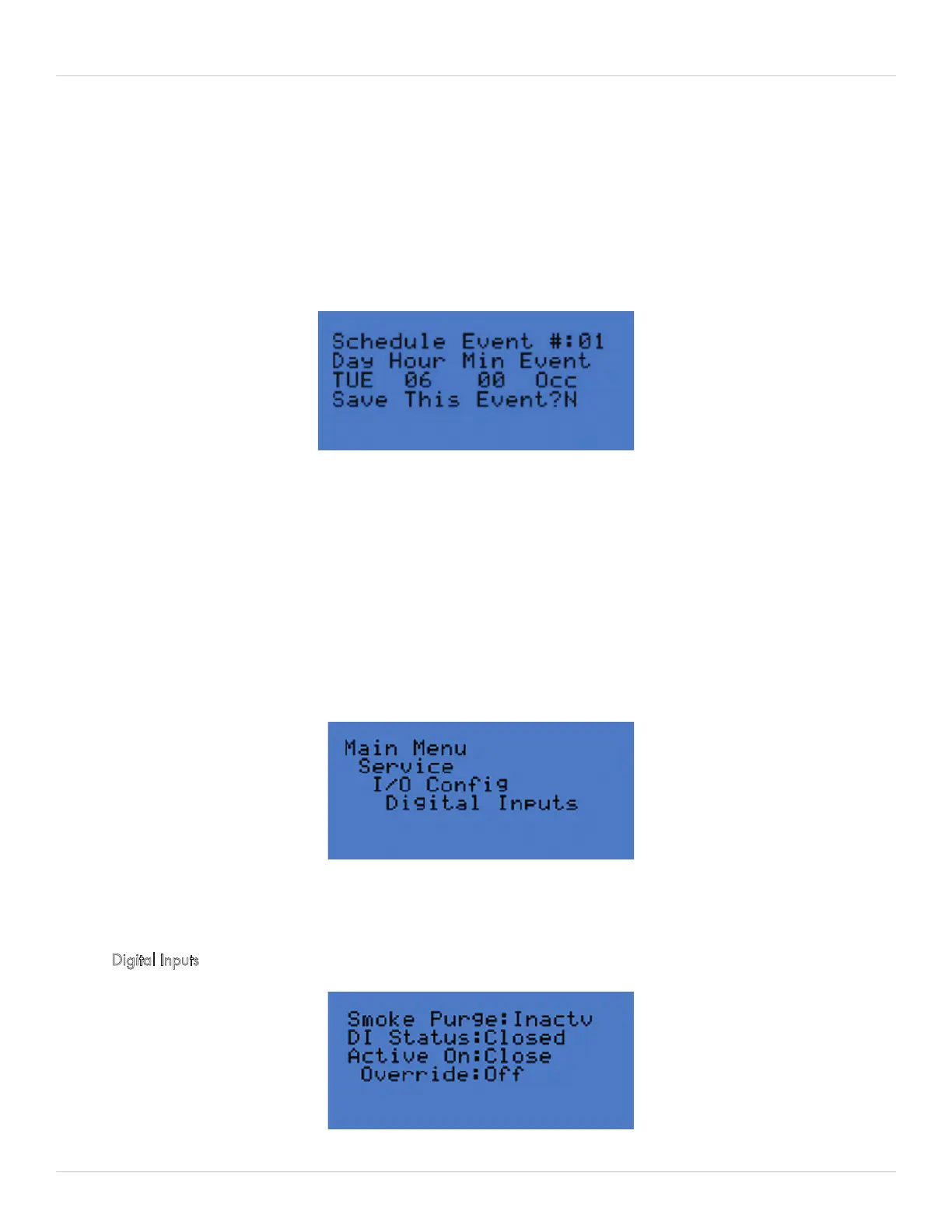
Figure 5-13. Occupancy Schedule Screen
Figure 5-14. Service - I/O Config screen
Figure 5-15. Digital Inputs - Smoke Purge screen
Timed Purge Cycle – to override the controls and start a timed purge anytime of fixed duration (min), this screen also
indicates the time remaining (min) on the Timed Purge Event
The RIU can be configured with a password on Set Point changes for additional security.
Schedules
The Schedules menu contains the setup screens for an Occupied/Unoccupied schedule, a Purge schedule, and an
Event Mode Schedule.
Each of these schedules has a total of 28 events that can be configured. Keep in mind that each schedule requires
two events to be scheduled, a START and an END event. This allows for 14 unique schedules to be configured per
week. Setting the “Save This Event?” to YES will momentarily display YES before displaying NO. Do not worry, the
event has been saved. Proceed to the next event # to continue scheduling.
Service
The Service menu is the advanced diagnosis and programming menu. This menu includes Input/Output
Configuration, History, Unit Configuration, Manual Mode, and Utilities. To access Service
, the password 0005
at the prompt.
INPUT/OUTPUT CONFIGURATION
This menu contains settings for digital and analog inputs and outputs. Access to any of these screens is password
protected with the advanced service password. Contact factory before changing these settings as improper settings
may cause equipment damage.
Digital Inputs


 To Next Page