© 2017 PoolPak LLC. All rights reserved. MPK Series - Installation, Operation and Maintenance | 55
PoolPak
®
MPK Series IOM
Controller Navigation
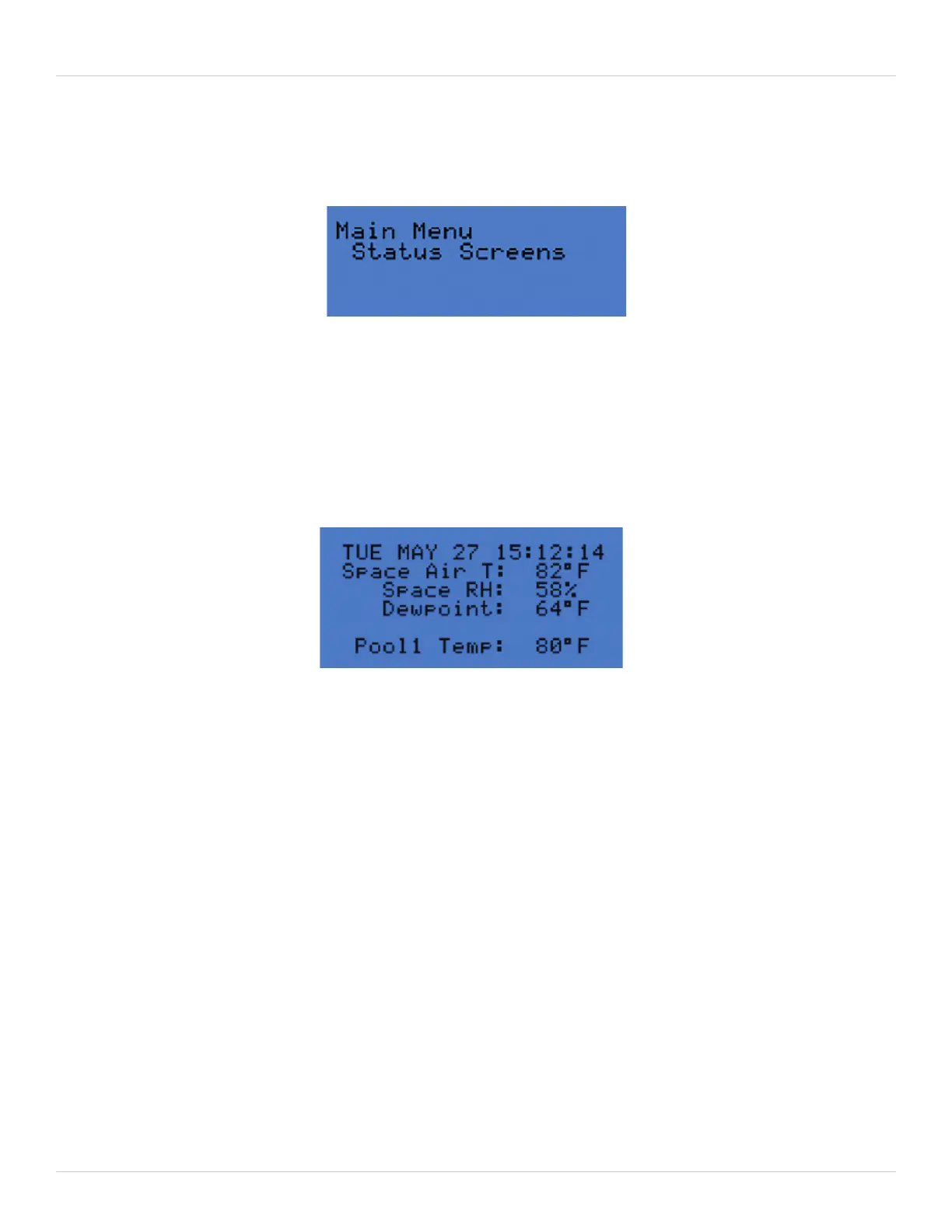
Main Menu
Figure 5-5. Main Menu Screen
Figure 5-6. Status Screen 1: Return Air/Pool Status
Pressing the program key at any time gives the above screen. From here, Status Screens, Detailed Status, Set Points,
Schedules, and Service menus are all accessible.
Status Screens
Status Screens and Detailed Status both contain read-only indicators of the operation of the unit. For example, these
describe room conditions, airflow conditions, unit status, stages of heat or cooling requested, stages of aux heat or
aux cool available, and fan motor status. All four status screens also show the weekday, month, day and 24H time.
• Space Air T = Return Air Space Temperature (°F)
• Space RH = Return Air Space Relative Humidity (%)
• Dewpoint = Return Air Dewpoint calculated from space air dry-bulb T and RH (°F)
• Pool1 Temp = Pool 1 water temperature (°F)
• Pool2 Temp = Pool 2 water temperature (°F) – if enabled
• Outside Air T = Outside Air Temperature (°F)
• Outside RH = Outside Air Relative Humidity (%)
• Dewpoint = Outside Air Dewpoint calculated from outside air dry-bulb T and RH (°F)
• Dehum - Dehumidification mode active? (Yes or No)
• Cooling - Cooling mode active? (Yes or No)
• Heating - Heating mode active? (Yes or No)
• Occupancy = Occupied mode on? (Occ or Unocc)
• Out Air Vol = Outside Air Volume (kCFM)
• Sup Air Vol = Supply Air Volume (kCFM)
If Multi-Unit Control is enabled, all Status and Detailed Status screens will indicate network status on the bottom line.
To enable Multi-Unit Control, refer to the Unit Config Menu Installed Features section of Controller Navigation.
• Solid numeral indicates the unit network ID currently connected to the display
• Flashing numerals indicate units on network with uncleared alarms
• ONLINE – Unit is connected to at least one other device on the network. This could be a keypad.
• OFFLINE – Unit does not see any other network devices.


 To Next Page