© 2017 PoolPak LLC. All rights reserved. MPK Series - Installation, Operation and Maintenance | 71
PoolPak
®
MPK Series IOM
Mixing Box Ctl – Mixing Box Control Configuration
• Type – None or Var Stage (Variable Stage Control)
• Event Min Pos – Event Mode Minimum Mixing Box Position (%) – 50 % (Range 0 to 99)
• Purge Max Pos – Purge Mode Maximum Mixing Box Position (%) – 100 % (Range 0 to 100)
• Deh Econo (read only?) – Dehumidification Economizer Enabled or Disabled?
• Cool Econo (read only?) – Cooling Economizer Enabled or Disabled?
• ClTD/Stg 1-7 – Mixing Box Cooling Positions for Variable Stage Control – (Range 0 to 99.9)
1. 05.0/50.0
2. 10.0/36.0
3. 15.0/28.0
4. 20.0/20.0
5. 25.0/15.0
6. 30.0/10.0
7. 40.0/10.0
• DPTD/Stg 1-7 – Mixing Box Dehumidification Positions for Variable Stage Control – (Range 0 to 99.9)
1. 05.0/50.0
2. 10.0/36.0
3. 15.0/28.0
4. 20.0/20.0
5. 25.0/15.0
6. 30.0/10.0
7. 40.0/10.0
• Min DPT Diff – Minimum Dewpoint Difference allowed (°F) – 3.0 °F (Range -99.9 to 99.9)
• Min Tmp Diff – Minimum Temperature Difference allowed (°F) – 3.0 °F (Range -99.9 to 99.9)
BAS Interface – Building Automation System Interface Configuration
• Type – The BAS Type available
Default: Carel (Range BACnet, LonWorks, Modbus)
• Baud Rate – Transfer speed of communications
Default: 19200 (Range 1200, 2400, 4800, 9600, 19200)
• Unit’s BAS Addr – Address of the Controller in a supervisory system network
Default: 001 (Range 001 to 207)
Manual Mode
Accessing the manual mode from the service menu may be preferable to digging through the inputs and outputs
and configuration parameters. Manual mode also does not require the advanced service password for access. This
control function is best used for unit troubleshooting for temperature and humidity control, compressor control, airflow
control, and mixing box control. See below review of each screen.
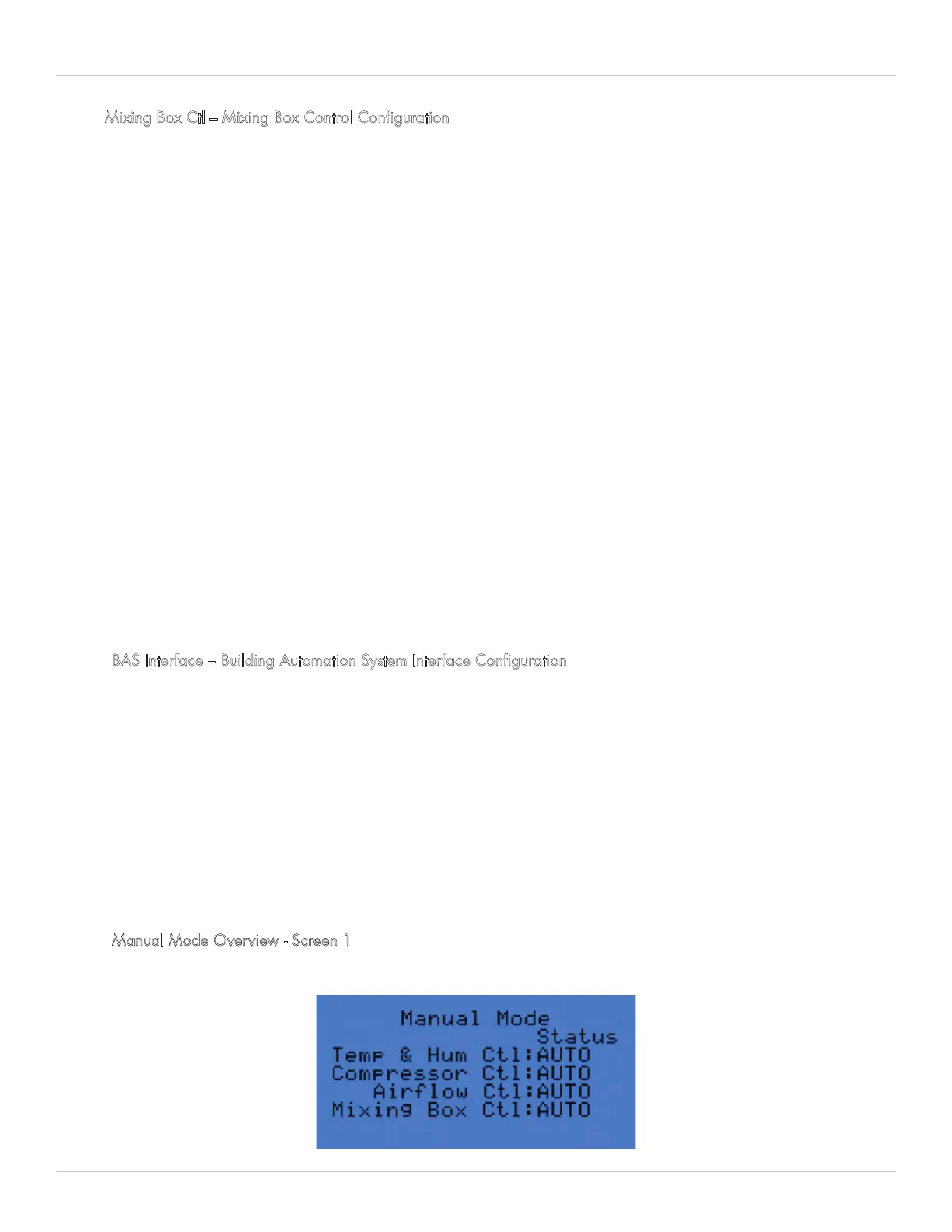
Manual Mode Overview - Screen 1
Figure 5-24. Manual Mode Screen 1 - Overview


 To Next Page