955725_4
28
To view different field names, select a different
Client or Farm name. Select either the Client or
Farm name displayed towards the top of the page
to select a different Client or Farm.
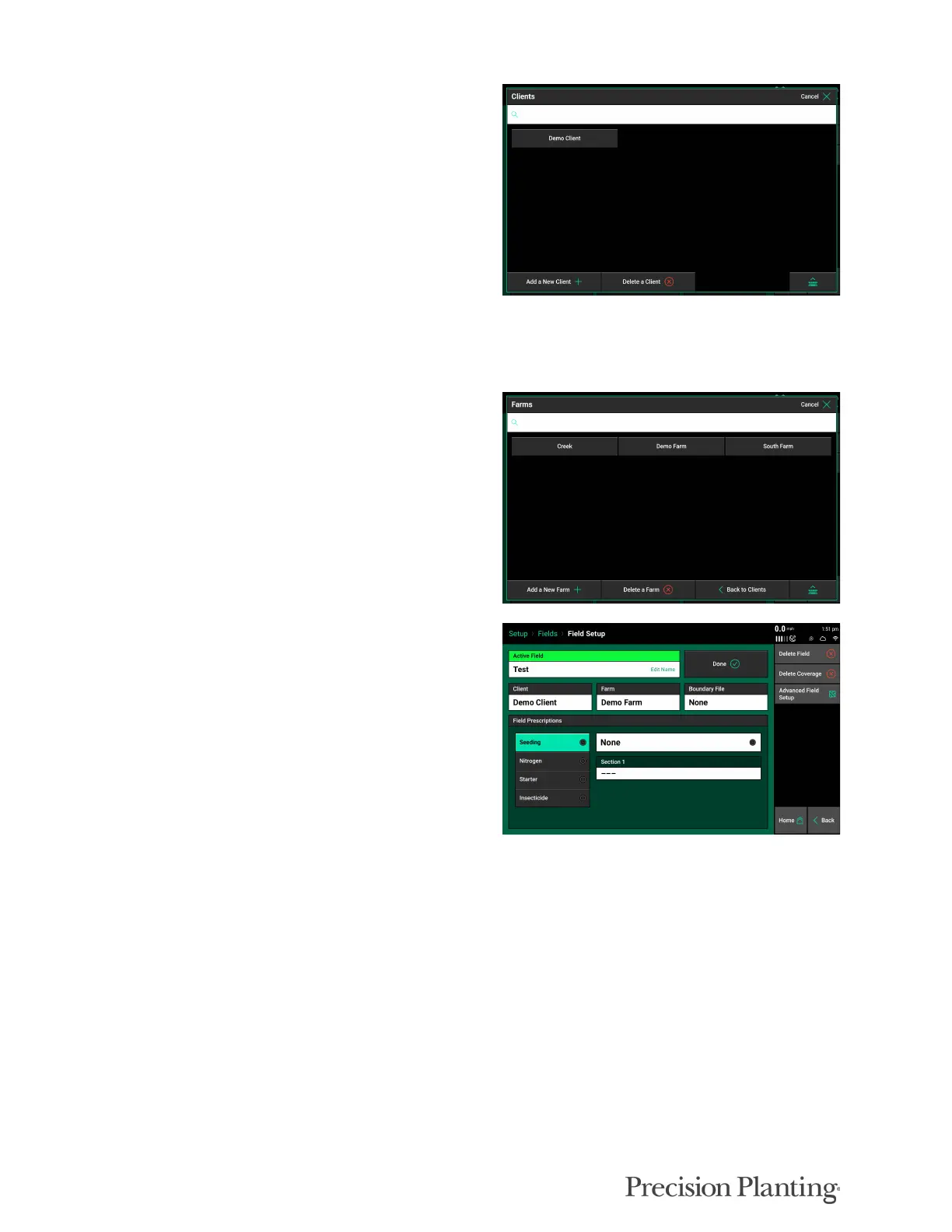
When the Client box is selected, a list of all
Client names is displayed. Client names can be
Added or Deleted by using the options at the
bottom of the screen.
Select the keyboard icon in the bottom right to search for an existing Client name. Select a Client
name listed on the screen to view the Farm names under the selected Client name.
Once a Client name is selected a Farm name must
be selected. All Farm names under the selected
Client name will be displayed. Farm names can
be created and deleted. Select the appropriate
Farm name to view all Field names under the
selected Client & Farm name.
The Field Setup screen will appear when a Field
name has been selected (including the active field
name). Select “Make Active” to make the
selected field active; so data and maps are stored
under the field name. (If the large button says
“Done” then the selected field is already the
active field.
A field name can be deleted by selecting the Delete Field button. Data for the field will not be
deleted and can still be exported off the display.
If coverage already exists for a field; so products such as vDrive remained swathed off, select
“Delete Coverage” to clear all coverage from the selected field.
Boundary and Prescription files can also be assigned to fields on this page. Boundary and
Prescription files must be in a Shape File format and include the .dbf, .shx, and .shp file
extensions. (Shape files are imported in the Data menu.)
Select the Boundary File button to view a list of all imported shape files. Choose the appropriate
boundary file for the selected field.



 To Next Page