955725_4
32
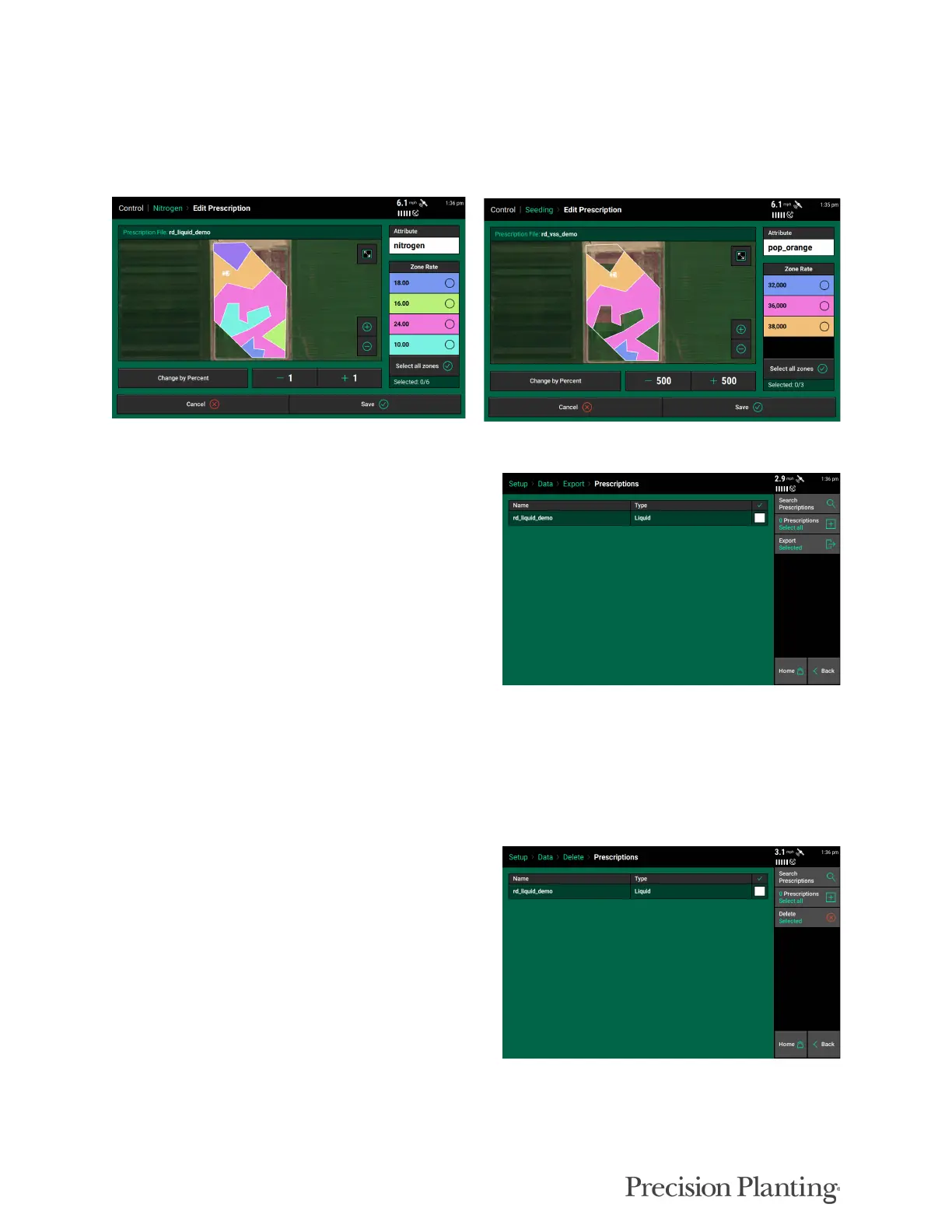
After the desired attribute and zones are selected, you can either adjust it by a percent, or bump
the values up or down using the + or - buttons on the screen. Once the prescription has been
edited, tap on 'Cancel' to discard any changes made, or tap on 'Save' to save the changes made to
the prescription.
Exporting Prescription Files
Follow the below steps to export prescription file
(s).
1. Navigate to Setup - Data - Export.
2. Insert a USB drive into the Display.
3. Tap on the 'Export Prescriptions' button.
4. Select the prescriptions to export, or tap on
'Select All'.
5. Export the files.
Note: The 20|20 exports a .2020 file format of prescription file.
Deleting Prescription Files
Follow the below steps to delete prescription file
(s).
1. Navigate to Setup - Data - Delete.
2. Tap on the 'Delete Prescriptions' button.
3. Select the prescriptions to export, or tap on
'Select All'.
4. Delete the files.
Note: Deleting files is an irreversible operation, and cannot be undone. Follow the above steps with
caution, as deleted files cannot be restored.



 To Next Page