955725_4
34
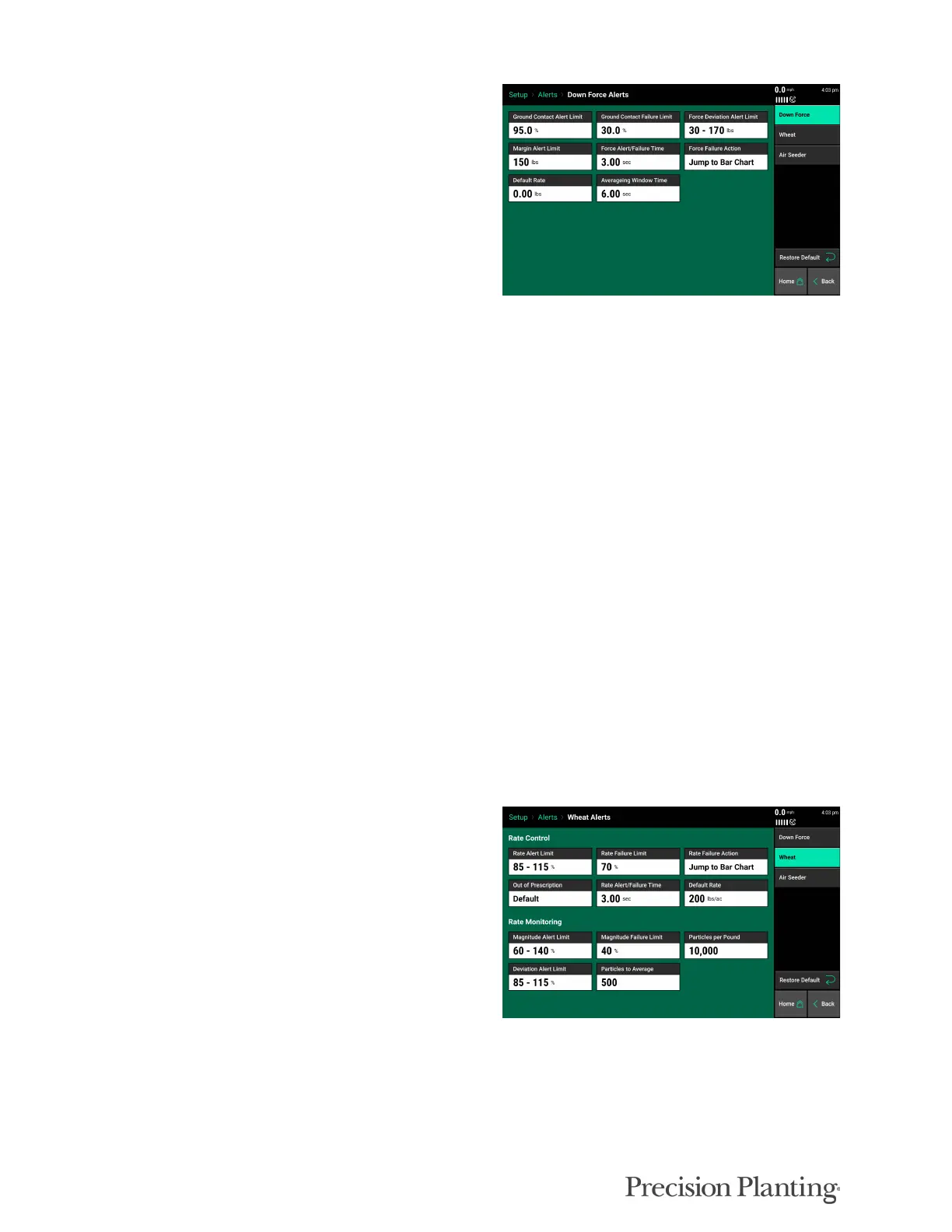
Ground Contact Alert Limit- This will set the
point at which the Ground Contact metric will
turn yellow, indicating that loss of Ground
Contact may begin to have an agronomic affect..
Ground Contact Failure Limit- This will set
the point at which the Ground Contact metric
turns red.
Force Deviation Alert Limit- This will set the
point at which the force average metric turns
yellow. (Deviation from Target Force)
Margin Alert Limit- This will set the point at which the Margin metric will turn yellow.
Force Alert/Failure Time- The length of time the force alert/alarm must stay in that state before
it triggers an alert/alarm.
Force Failure Action- Allows the user to select an action when a Force Failure occurs.
Default Rate- Currently not used/ does not need adjusted.
Averaging Window Time- The time that the system averages the force average, force minimum,
and ground contact DMCs and widgets.
PRODUCT ALERTS
The product Alerts screen allows the user to adjust the rate limits for control and monitoring. If
you find that you are constantly having a row alert or failure, you may need to change from the
default settings.
Rate Alert Limit - This will set the point at
which the Lbs/Ac metric will turn yellow,
indicating the hydraulic motor RPM is outside
the set points.
Rate Failure Limit - This will set the point at
which the Lbs/Ac metric turns red.
Rate Failure Action - Allows the user to select
an action when a Rate Failure occurs.
Rate Alert/Failure Time - Length of time the system needs to detect a rate outside of the limit
before it triggers an alert or failure.
Magnitude Alert Limit - This will set the point at which the Magnitude metric will turn yellow,
indicating the seeding rate is outside the set points.



 To Next Page